REST API quickstart: create and drive a lab from curl
Everything the UI does, the REST API does too - the Studio canvas is a client of the same endpoints you can call yourself. This guide creates a scoped API token, then uses it with plain curl to list and create labs. No SDK required to get started.
All examples below were run against a live netplex. instance before publishing - the token shape and status codes are real, not illustrative.
Open Settings → API Tokens and create one with the scopes you need - labs:read to list/inspect, labs:write to create or modify. The secret is shown once; copy it now.
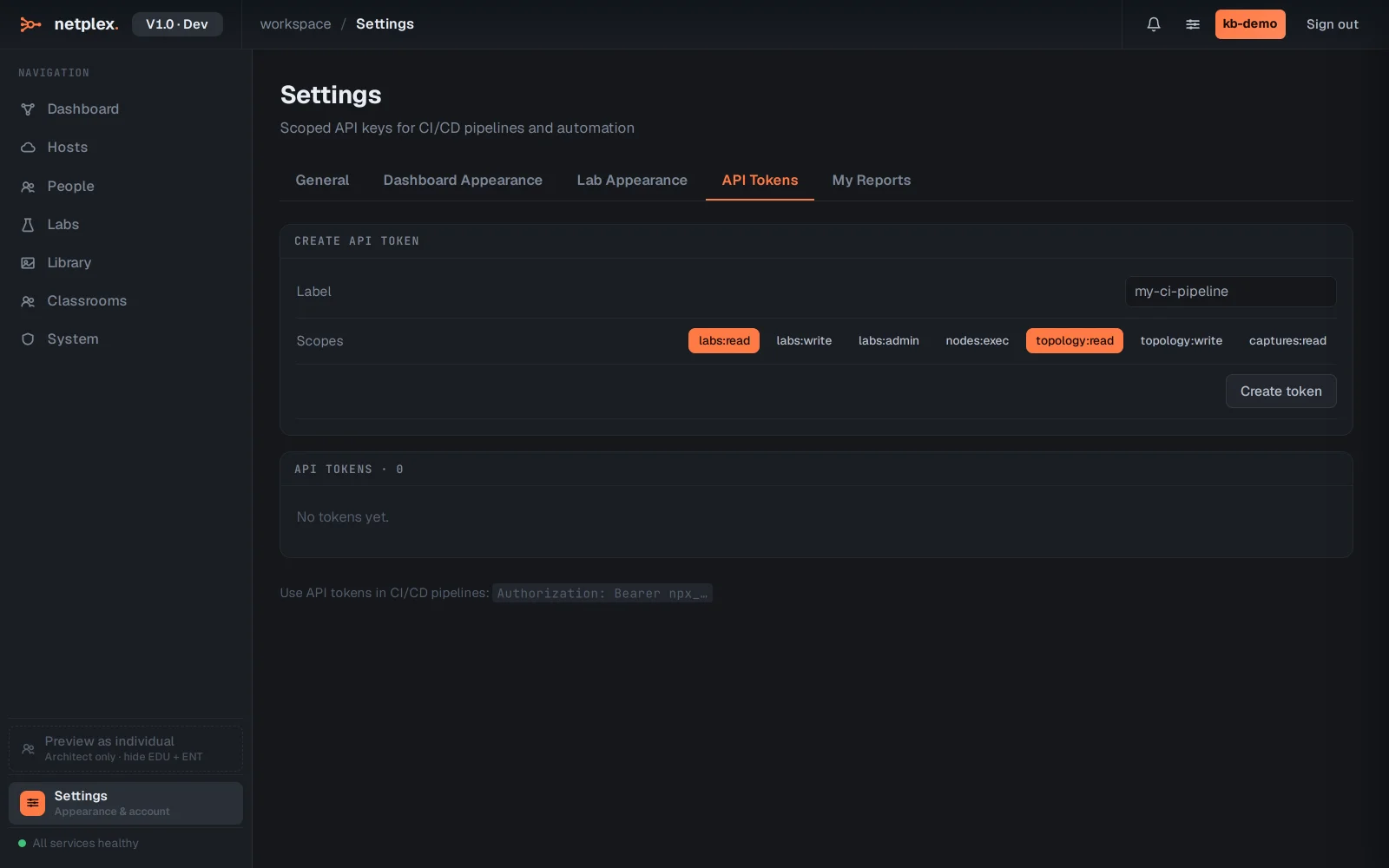
Authenticate (session tokens, if you are scripting a login instead of using a long-lived API token):
curl -sX POST https://your-netplex-host/api/v1/auth/login \
  -H 'content-type: application/json' \
  -d '{"username":"you","password":"..."}'
# → { "access_token": "eyJ...", ... }
Create an API token (what the screenshot above does, in one call):
curl -sX POST https://your-netplex-host/api/v1/auth/api-tokens \
  -H "Authorization: Bearer $ACCESS_TOKEN" -H 'content-type: application/json' \
  -d '{"label":"ci-pipeline","scopes":["labs:read","labs:write"]}'
# → { "id": "...", "token": "npx_xxxxxxxxxxxxxxxxxxxxxxxxxxxxxxxx", "scopes": [...], ... }
Save the token value (npx_...) somewhere safe - it is shown exactly once and works as a Bearer token from here on, no login step needed.
List your labs:
curl -s https://your-netplex-host/api/v1/labs \
  -H "Authorization: Bearer npx_xxxxxxxxxxxxxxxxxxxxxxxxxxxxxxxx"
# → [] (or your existing labs)
Create a lab:
curl -sX POST https://your-netplex-host/api/v1/labs \
  -H "Authorization: Bearer npx_xxxxxxxxxxxxxxxxxxxxxxxxxxxxxxxx" -H 'content-type: application/json' \
  -d '{"name":"CI Smoke Test"}'
# → 201 { "id": "...", "name": "CI Smoke Test", "nodes": [], "links": [], ... }
From here, the same REST surface adds nodes (POST /labs/{id}/topology/nodes), wires links, starts the lab, and reads back status - everything in this Knowledge Base that a scenario "does" is calling these endpoints. A scoped token means your CI pipeline never needs your password: revoke it any time from Settings → API Tokens with no other access affected. See "Create an API token" for the token UI in detail, and "Lab as code" for driving whole topologies from version-controlled files instead of one-off curl calls.