The VXLAN fabric: run one lab across several hosts
netplex. can spread a single lab across multiple physical machines. Each extra machine runs a lightweight netplex-agent; nodes placed there are wired back into the lab through automatic VXLAN tunnels over WireGuard (the encrypted netplex-wg0 overlay) - completely transparent to your topology.
The Hosts page is the control plane for all of it, split into three tabs: Compute Fleet, Network Fabric and Stitch.
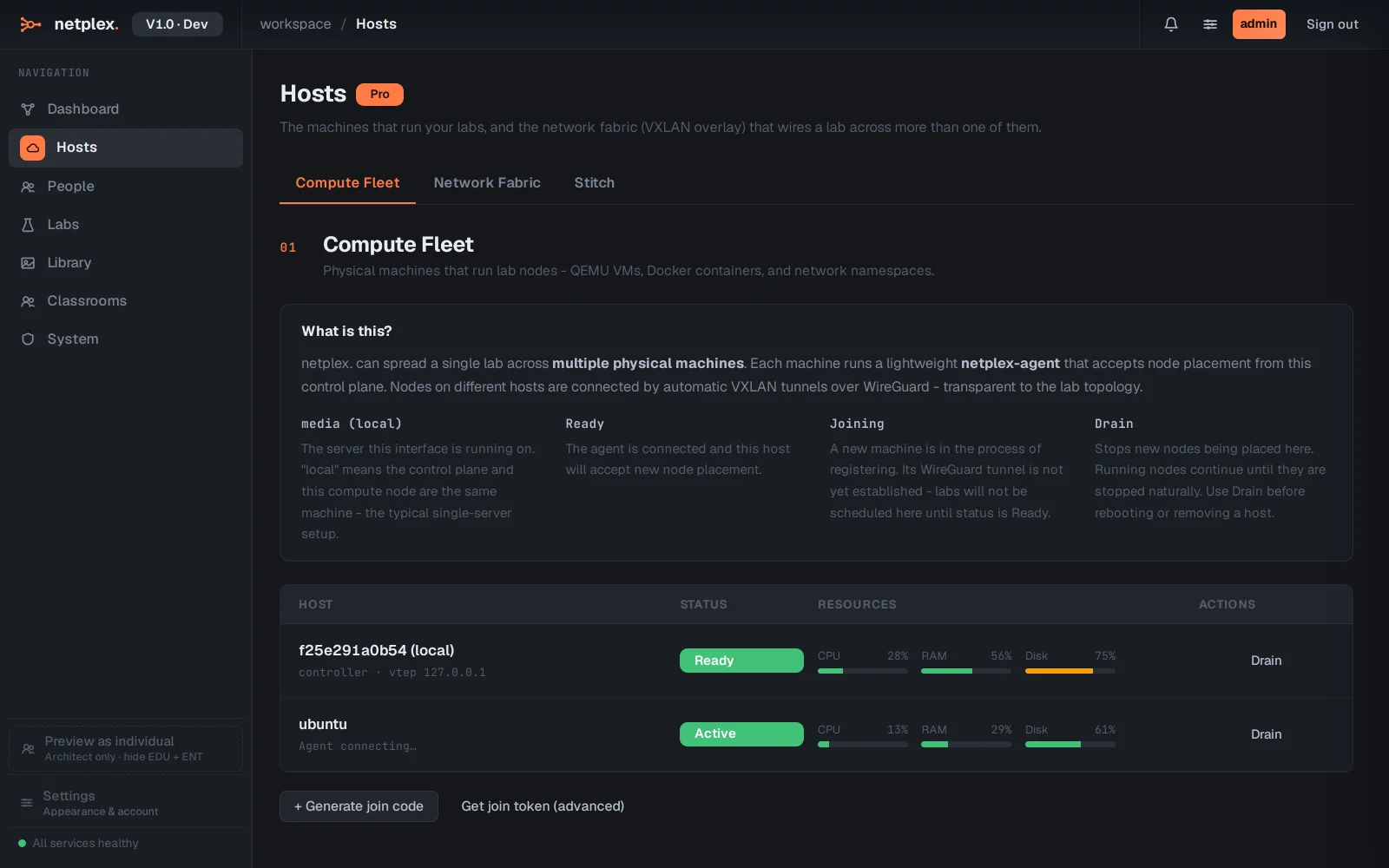
Open Hosts from the left navigation. Compute Fleet lists every machine that can run lab nodes - this control plane plus any joined agents, each with a status (Ready, Joining, Drain). Adding a machine is a copy-paste job: Generate join code here, run the agent installer on the other machine, paste the code. Machine limits follow your tier (Pro 2, Architect 4, Team 8, Enterprise unlimited).
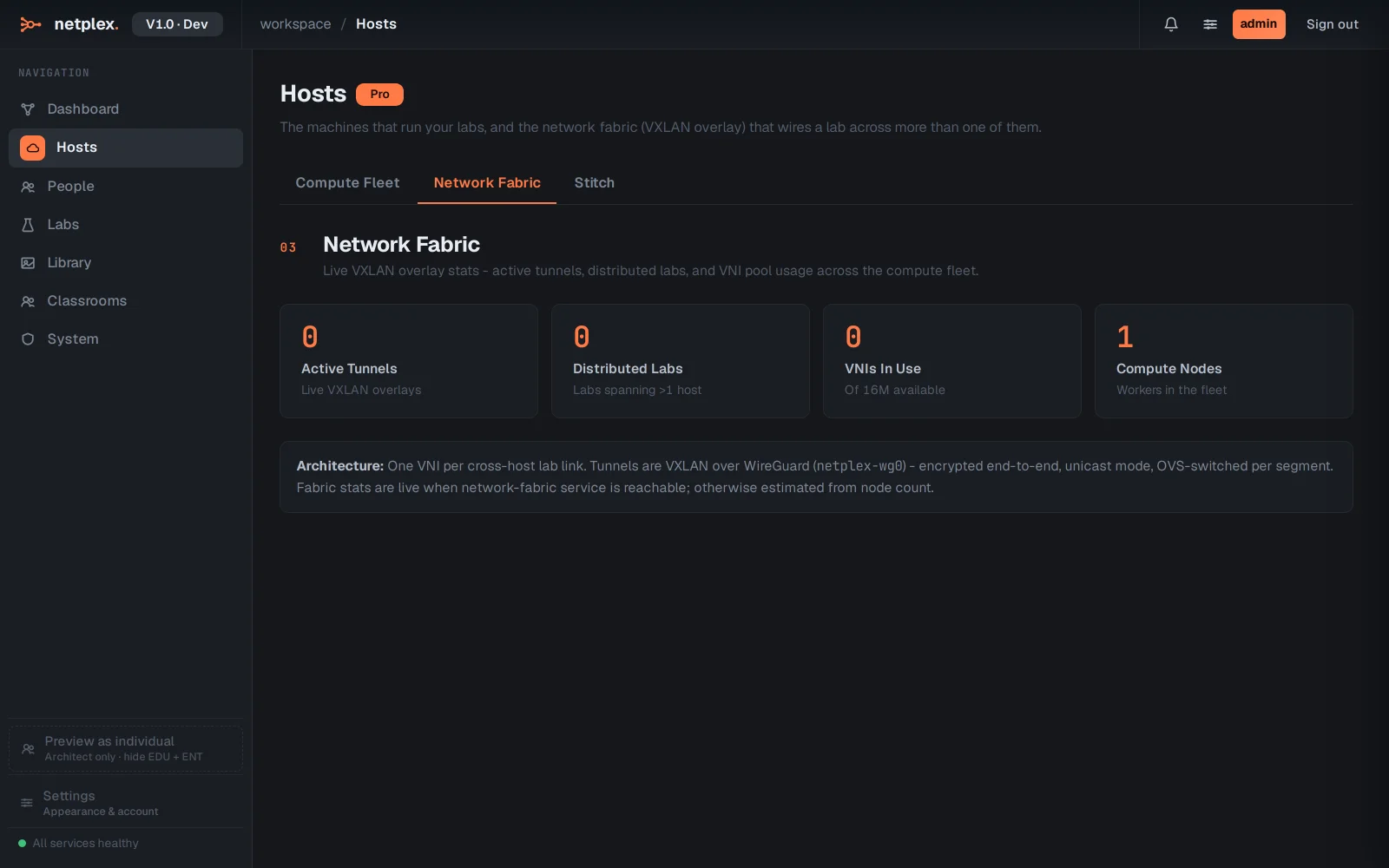
The Network Fabric tab shows the live VXLAN overlay - active tunnels, labs currently spread across machines, and VNI pool usage. Tunnels are VXLAN over WireGuard, encrypted end-to-end and OVS-switched per link segment.
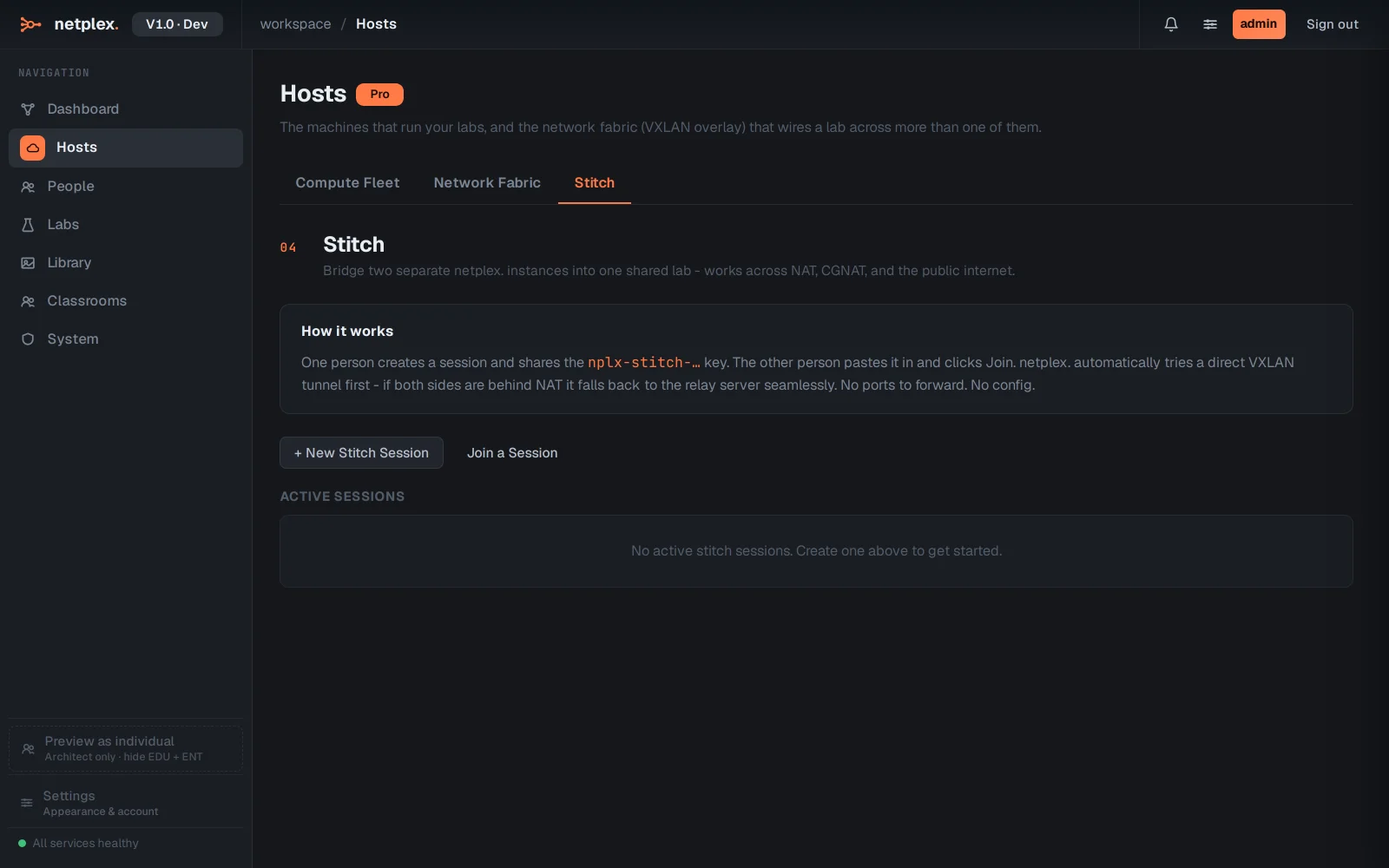
Stitch connects two labs on different netplex. installations - yours and a colleague's - over the internet. One side generates a stitch code, the other pastes it in and clicks Join; netplex. tries a direct VXLAN tunnel first and falls back to the relay when the sites cannot reach each other directly.
Once a second host is joined, nothing about building labs changes: drag nodes as usual and the scheduler places them across the fleet; any link that crosses machines gets its VXLAN tunnel automatically. This walkthrough shows a single-machine fleet - the numbers grow as you join hosts.