Connect devices with an unmanaged switch
A point-to-point link joins exactly two devices. When you need several devices on one segment - a subnet of PCs, an access LAN, a shared broadcast domain - drop in an unmanaged switch. It is a passive layer-2 learning switch: wire everything to it and the devices talk as if they were on the same physical switch.
netplex.'s switch is deliberately silent - it runs no spanning-tree and injects no frames of its own, so a packet capture on any port shows only your devices' traffic, never the switch's. It is pure plumbing.
Add a Switch from the palette (Built-in group) and wire each device to a switch port like any other link. Here two PCs both hang off the one switch - that is a shared segment, 10.0.0.0/24, no routing needed.
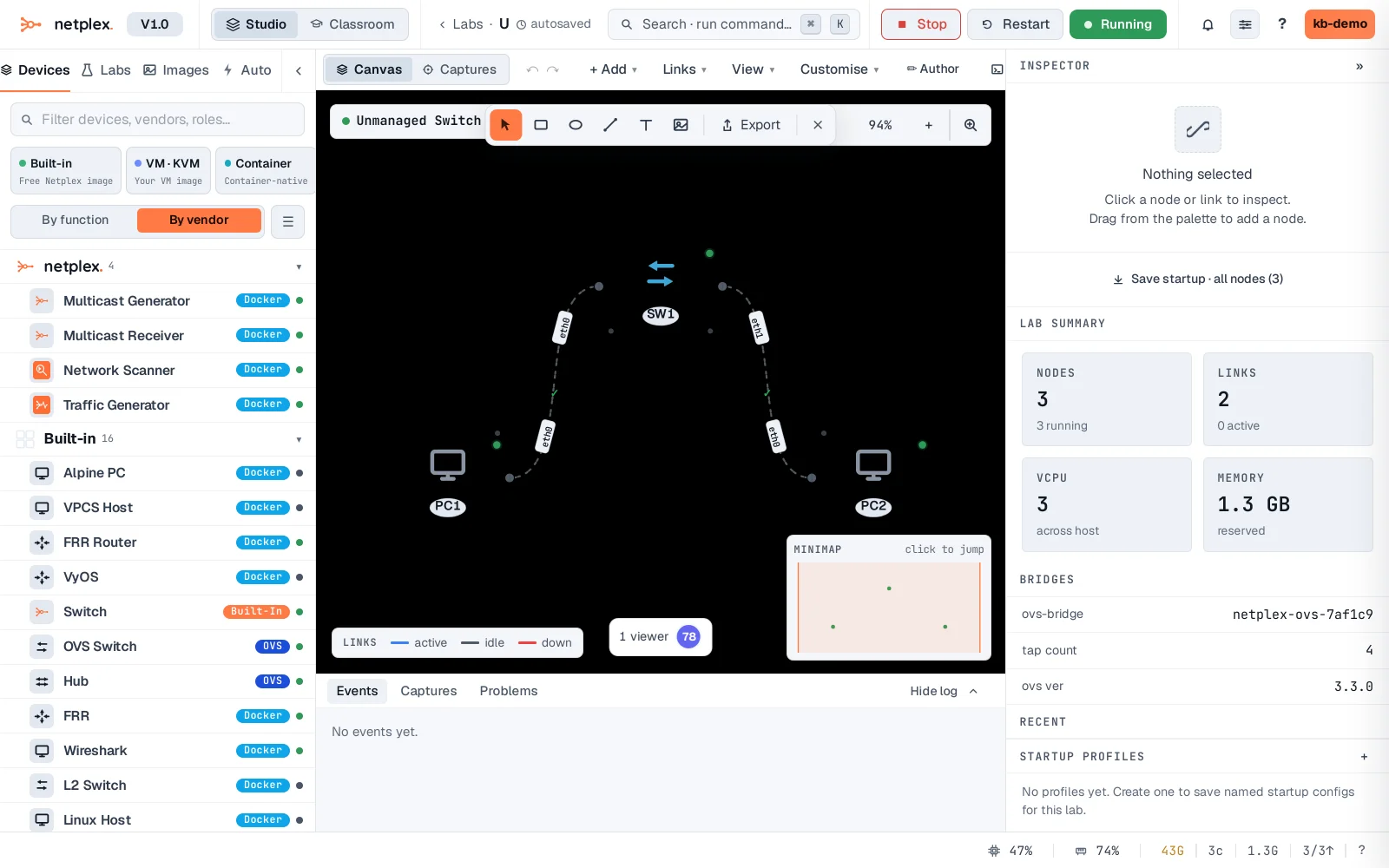
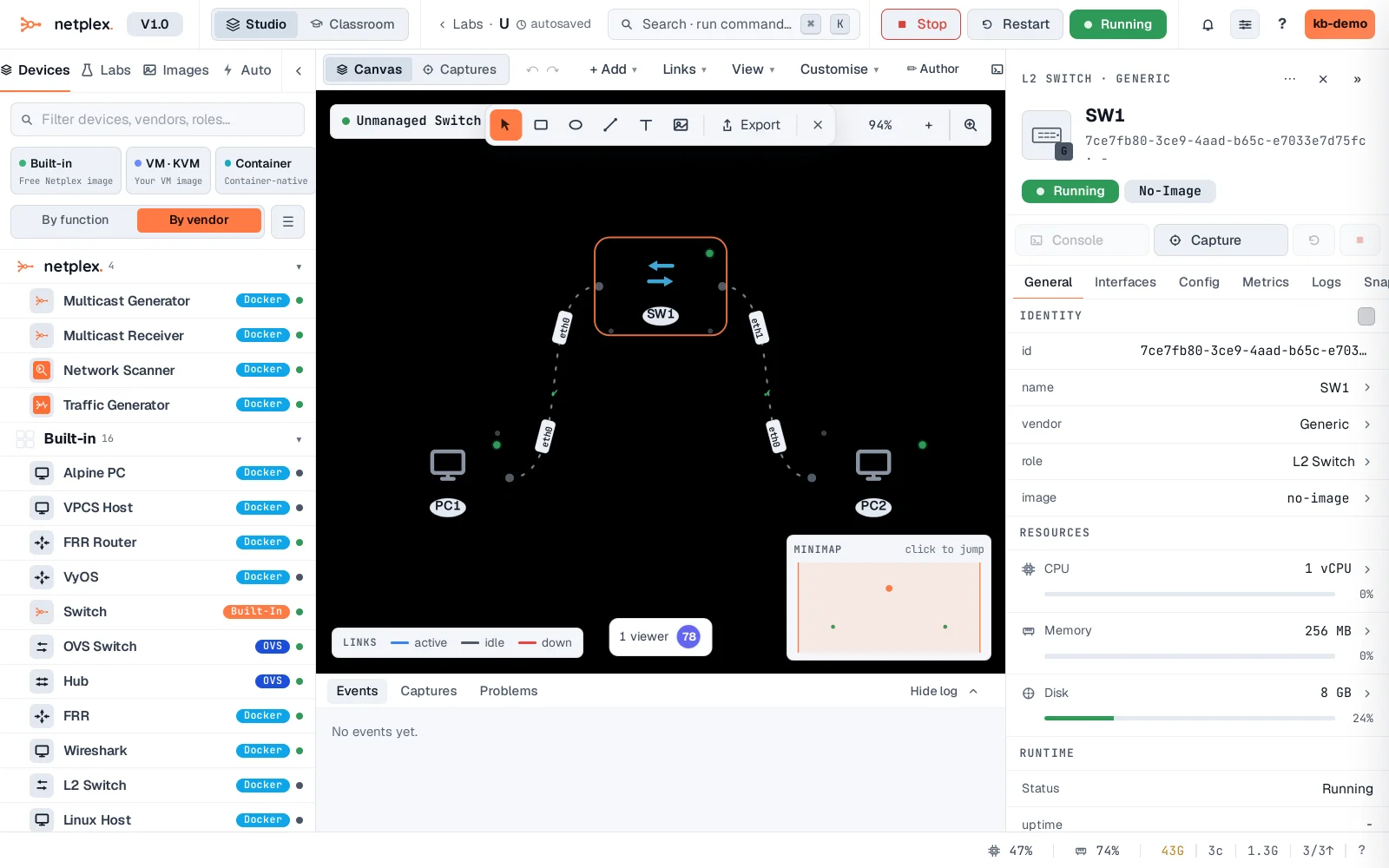
Select the switch and the Inspector shows what it is: a passive L2 switch with a row of ports, no console and no config to manage. It powers on with the lab and just forwards frames - MAC learning per port, exactly like a real unmanaged switch.
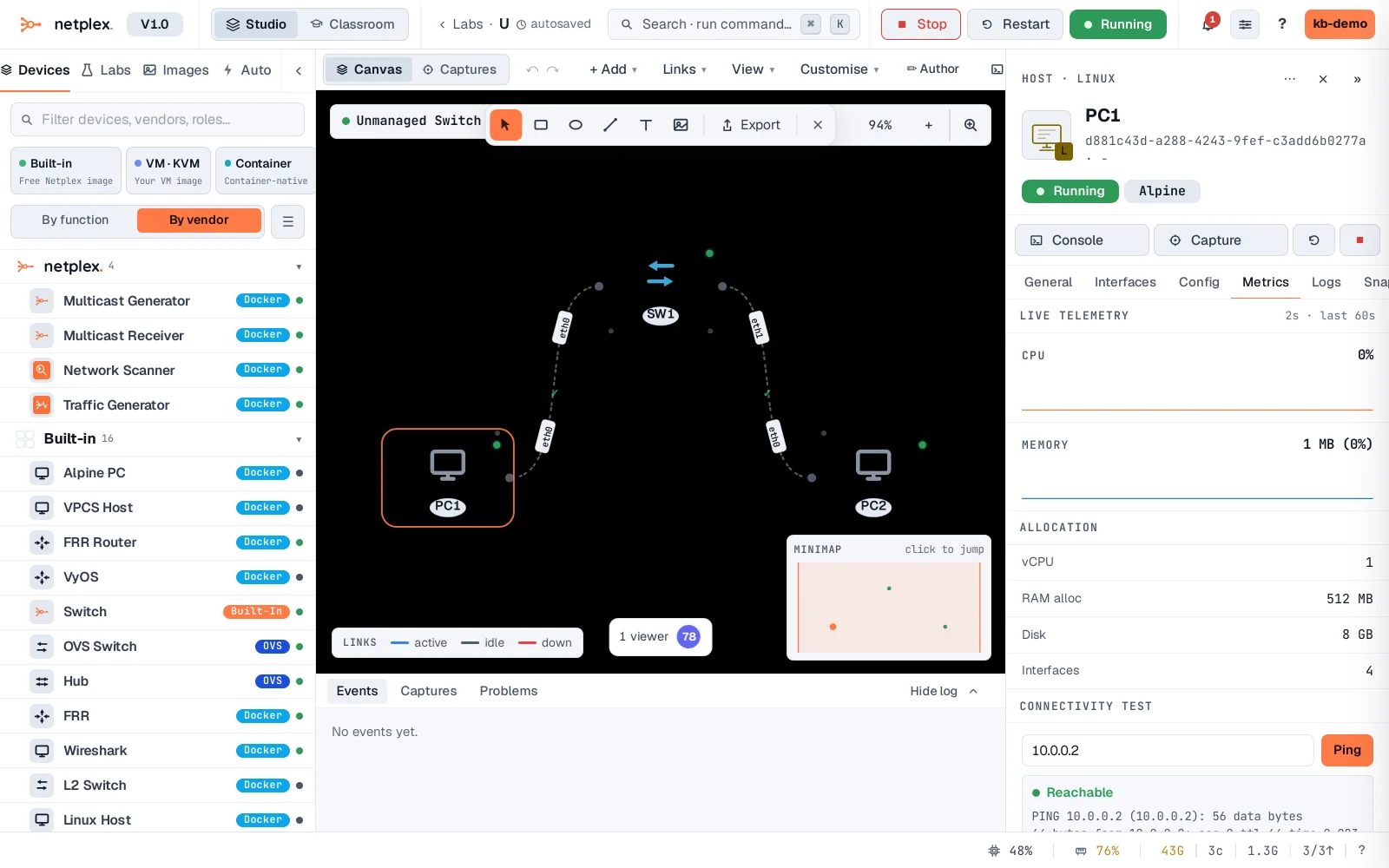
Proof it is a real segment: from PC1, the Inspector's Connectivity Test pings PC2 at 10.0.0.2 - through the switch - and reports Reachable. Add more PCs to the same switch and they all reach each other, no extra configuration.
An unmanaged switch is the right tool for a flat LAN or an access segment. When you need VLANs, trunking or spanning-tree, use a real switch image (Cisco IOL L2, Arista vEOS) instead - it drops onto the canvas the same way. To watch traffic on the segment, attach a packet capture to any port; because the switch injects nothing, you see only the devices' own frames.