Generate traffic with the built-in generator
Sometimes you need load, not just pings - to light up link stats, test QoS policies, or watch a capture fill. The Traffic Generator is a built-in tool node: wire it to anything and drive streams from a panel instead of memorising iperf flags.
Add a Traffic Generator from the palette (netplex. tools group) and wire it to the device you want to load - here a Linux PC.
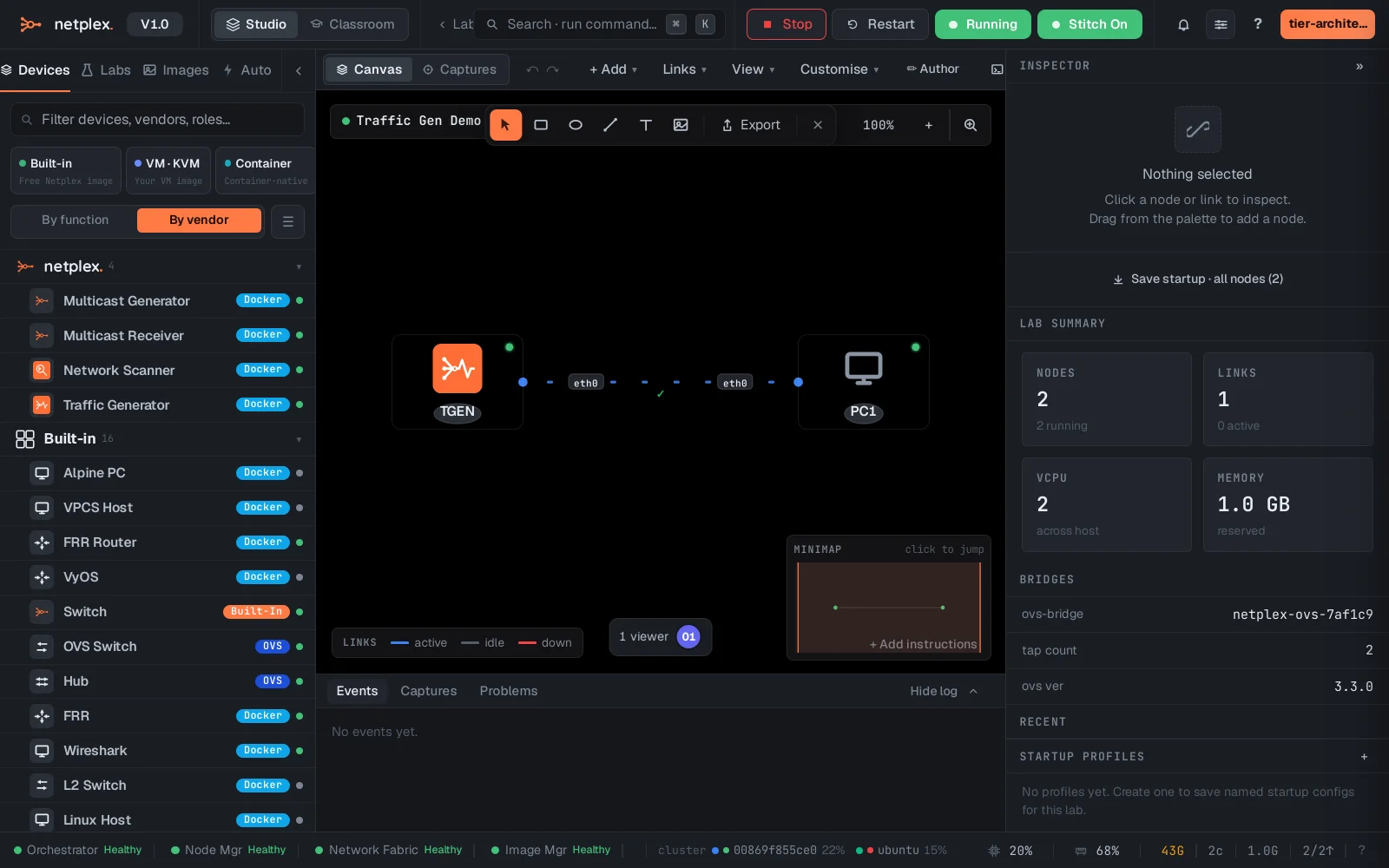
Double-click the generator. Instead of a shell, its tab is a control panel: pick the stream type, target and rate, then ▶ Start stream. Multiple streams can run at once.
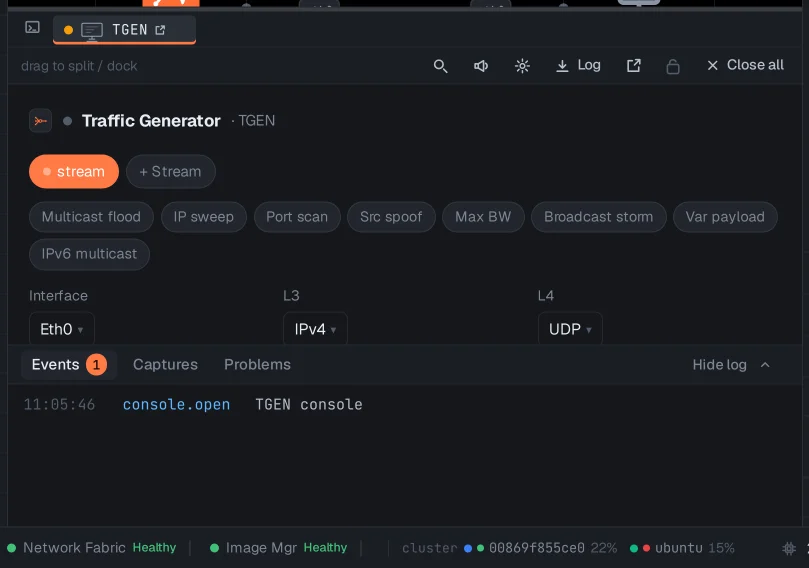
Pair it with a packet capture on the same link to watch the stream on the wire, or with QoS shaping to see a rate cap flatten the throughput. The Multicast Generator and Receiver work the same way for IGMP/multicast testing.