See traffic flow on your links
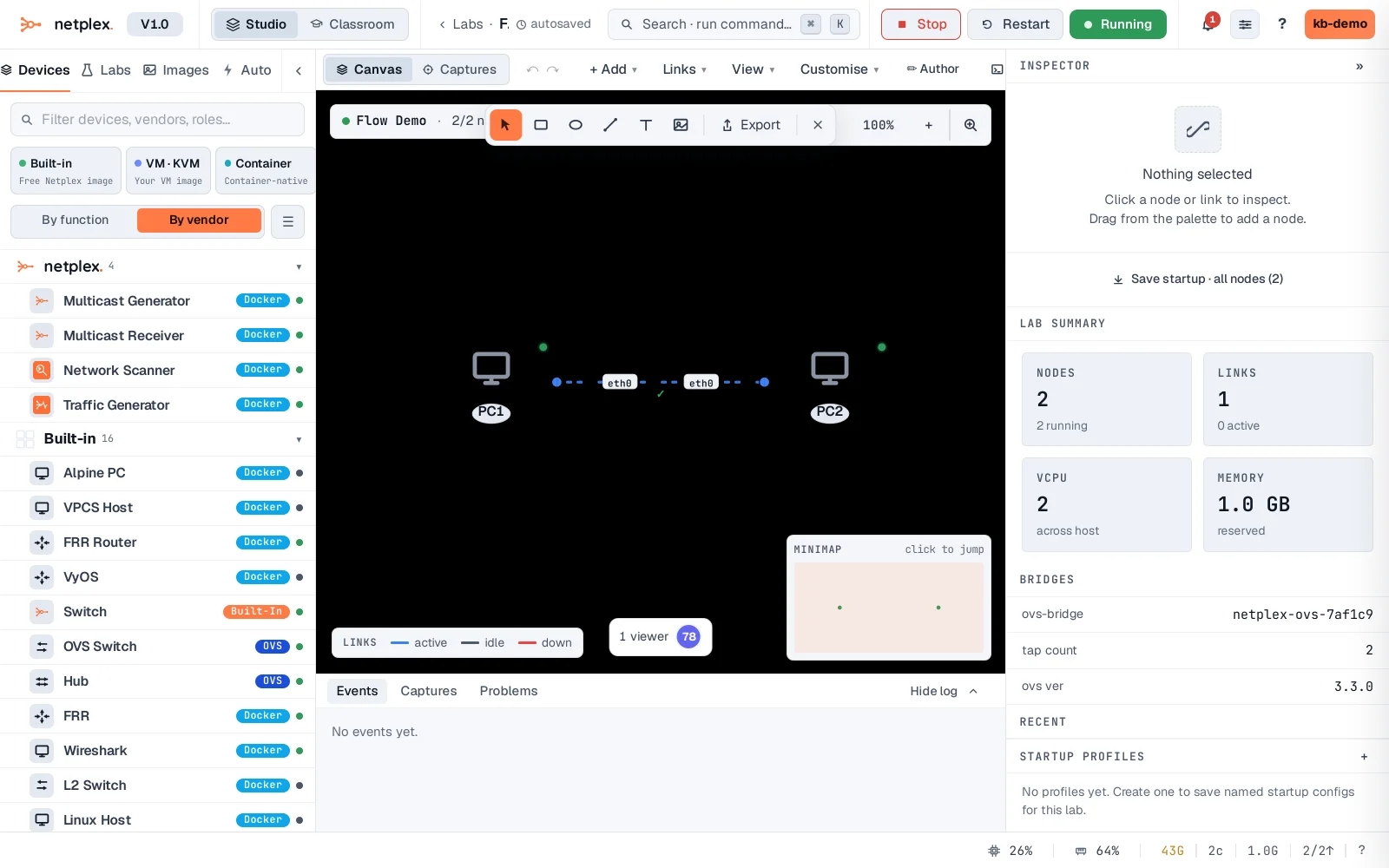
A running lab does not just sit there - netplex. animates live traffic on the wires so you can see, at a glance, what is active and what is idle. Marching dashes and a moving packet flow along links that are carrying traffic.
With both PCs running and the link up, the wire between them animates - marching dashes show live traffic. Idle links stay static, so activity is obvious across a big topology.
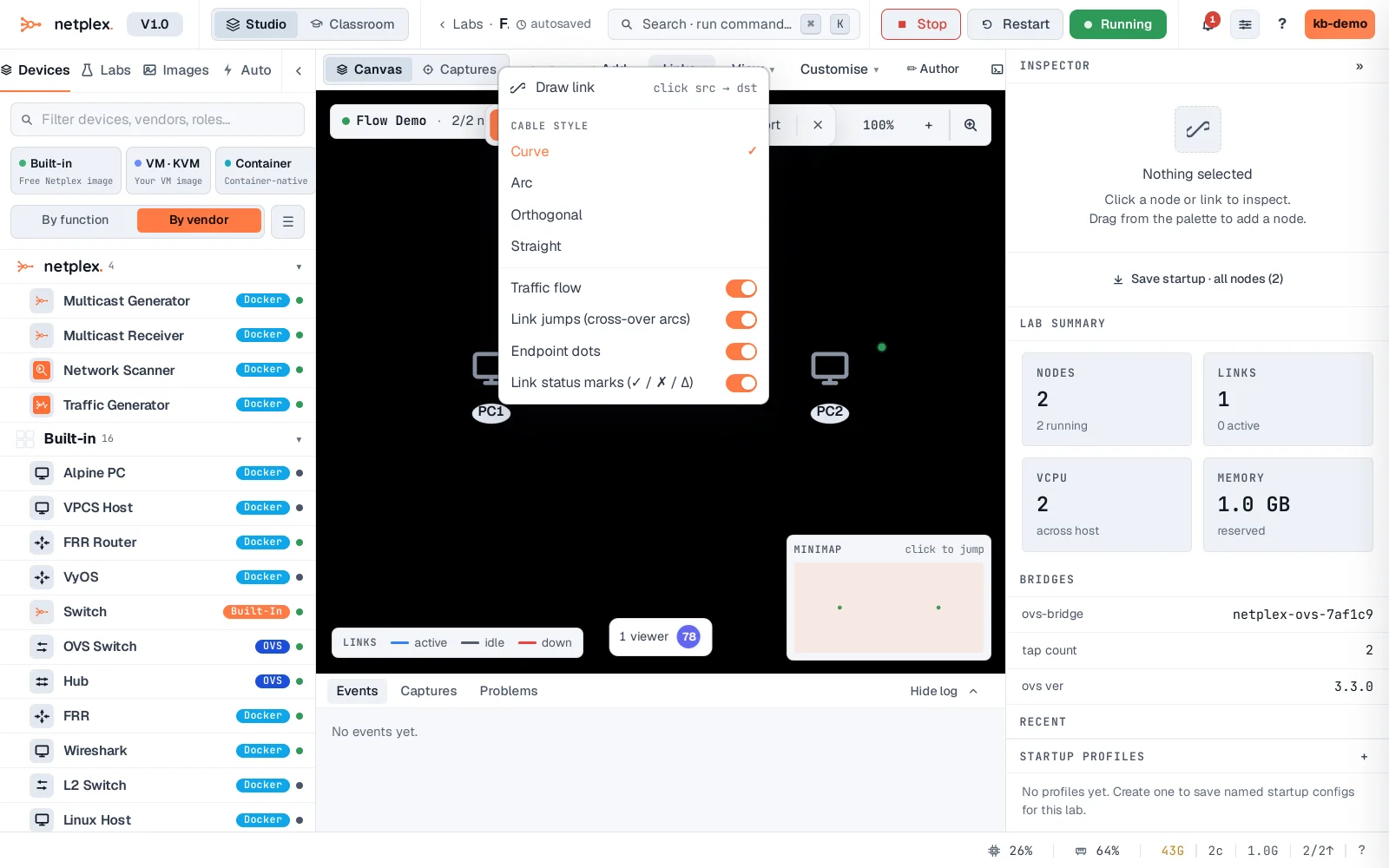
Toggle it from Links -> Traffic flow in the canvas toolbar. Turn it off for a clean diagram, on to watch what is live - handy while testing routing or a failover.
The animation reflects the link's live activity state from the fabric - it is a view, and injects no traffic of its own (netplex. never sources a packet onto your wires). Pair it with a packet capture when you need the actual bytes, not just the pulse.