The one-click Demo lab
The fastest way to see netplex. actually work - no images to upload, no wiring to draw. The Demo lab button builds a ready-to-run lab in one click: two Linux hosts, already cabled together, already addressed on 10.10.10.0/24. Power it on and they ping each other. It is the "hello world" of the platform.
On the Labs page, click ⚡ Demo lab. netplex. creates a lab called *Starter - Built-in Demo* - two Alpine hosts, PC1 and PC2, pre-wired and pre-addressed - and drops you straight onto its canvas.
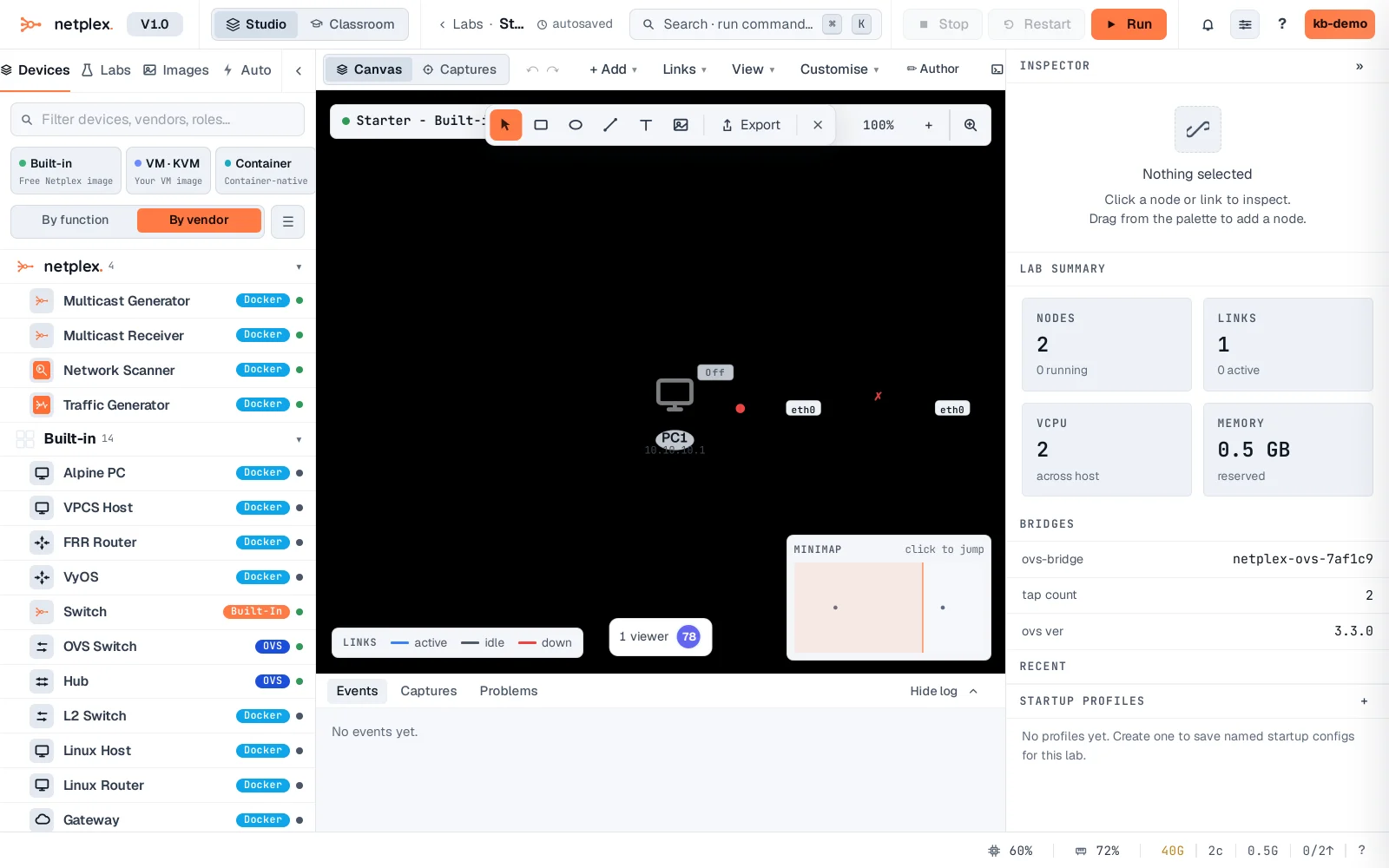
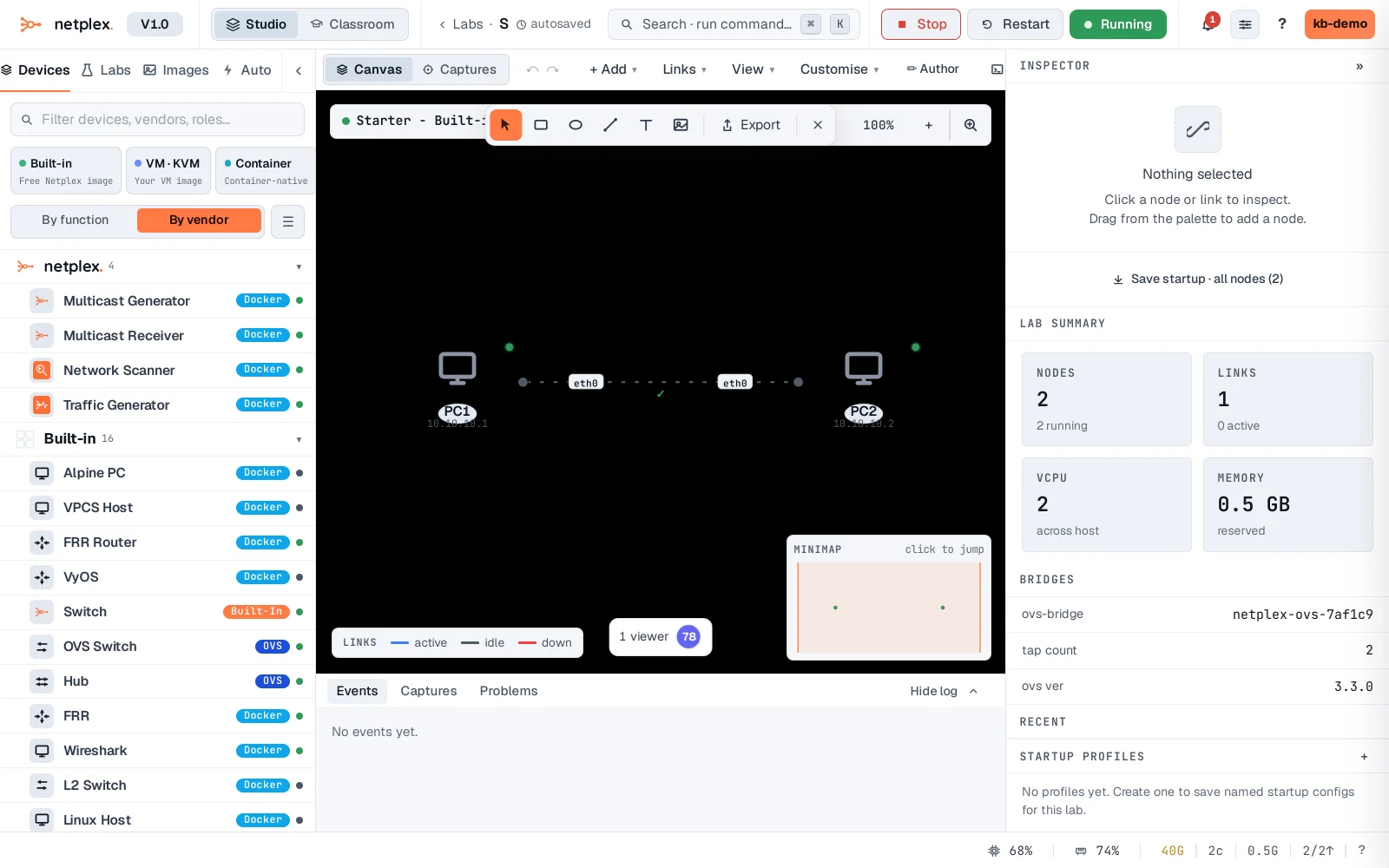
Click Run (top right). Both hosts boot in seconds and turn green - because their addresses came baked into the lab, there is nothing to configure. Nodes still start isolated; the only wire is the one link the demo drew between them.
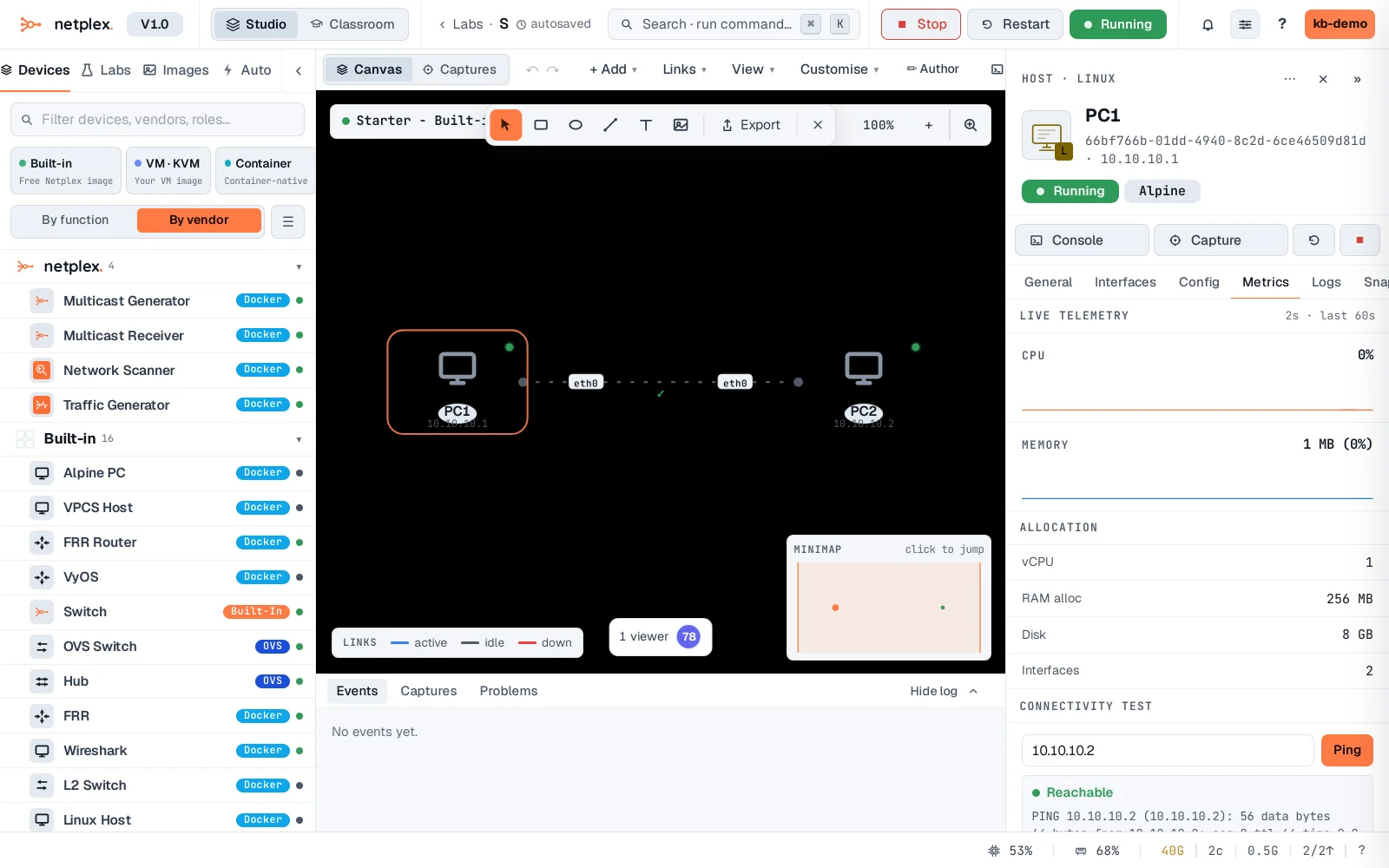
Now the payoff. Select PC1, open Metrics → Connectivity Test, and ping PC2 at 10.10.10.2. It reports Reachable with real round-trip output - a working network, from a single click, in under a minute.
The Demo lab is disposable - rename it, extend it, or delete it and make your own. When you are ready to build from scratch, use New lab and drag devices from the palette; everything you learned here (draw a link, power on, test reachability) is the same. See "Create your first lab" for the full walkthrough.