How to import a Cisco ASAv firewall image
The Cisco ASAv is the virtual Adaptive Security Appliance - the genuine ASA firewall software running as a QEMU/KVM virtual machine. It is what you want for CCNP Security / SCOR labs and anything involving ASA access-lists, NAT, failover or AnyConnect. This guide shows how to import a Cisco ASAv image into netplex. so it joins your lab palette.
You bring your own licensed ASAv disk image; netplex. detects it as Cisco and applies the recommended hardware (1 vCPU, 2 GB RAM), so the firewall boots straight to its ciscoasa> prompt.
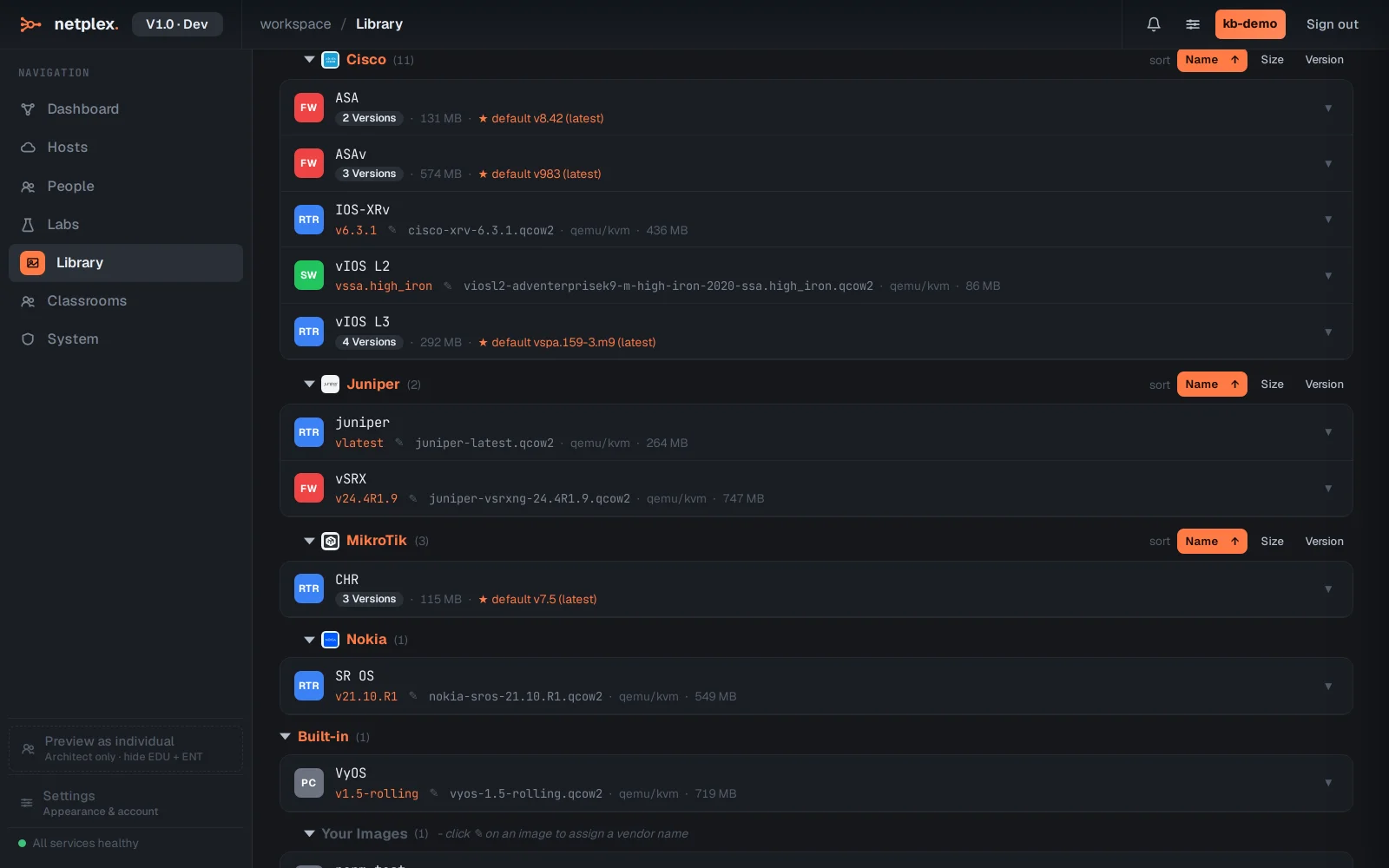
Open the Library and select the QEMU/KVM tab - the ASAv is a full VM, so it lives here with vIOS and the other Cisco VMs. Imported images group under the Cisco badge; ASA and ASAv show as their own device entries.
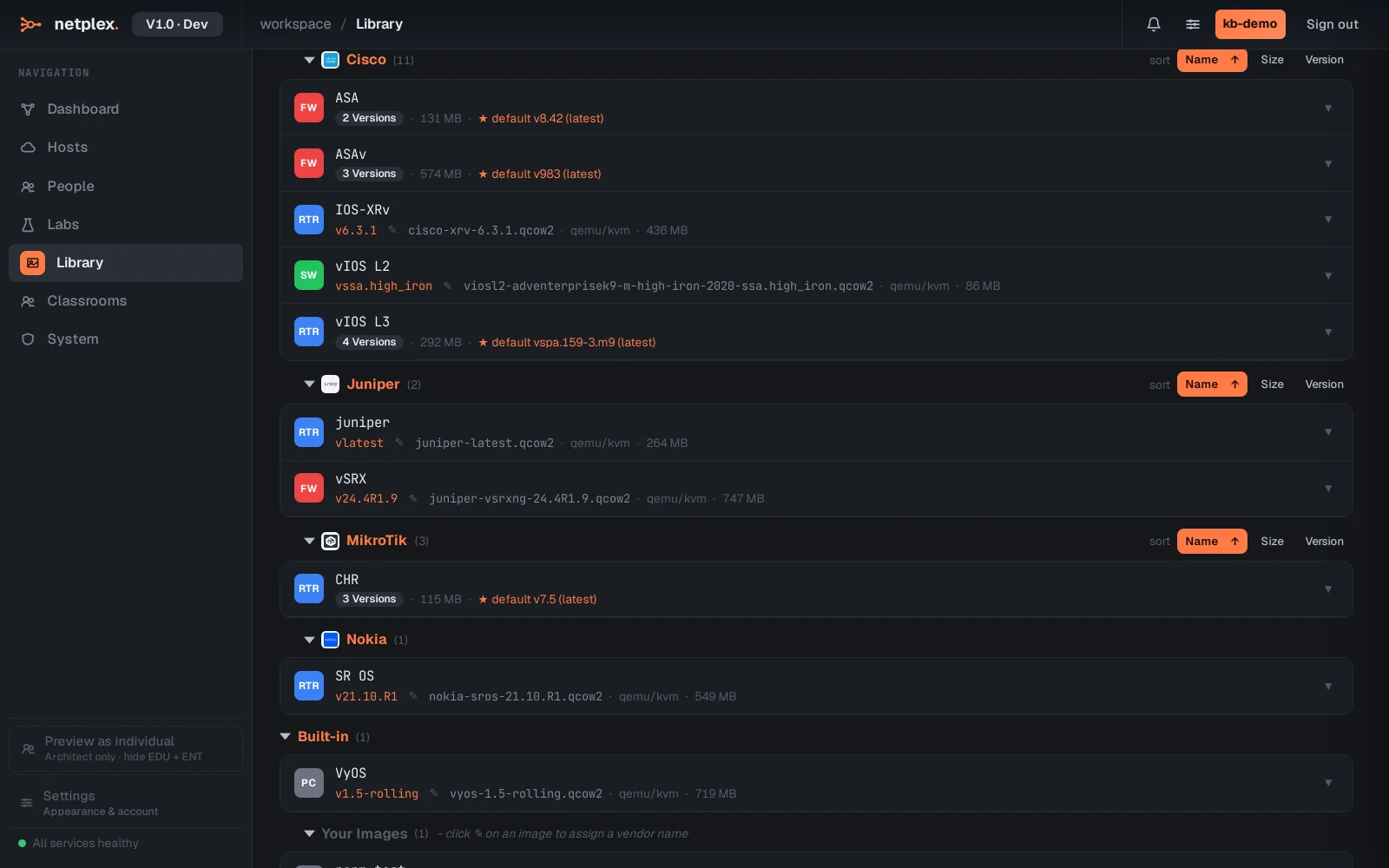
To add a new one, click Upload image and pick your ASAv .qcow2 (or .vmdk / .ova) file. netplex. classifies it as a Cisco firewall and applies the recommended CPU / RAM and NIC type - so you skip the usual "which virtual hardware does the ASAv actually want" guesswork.
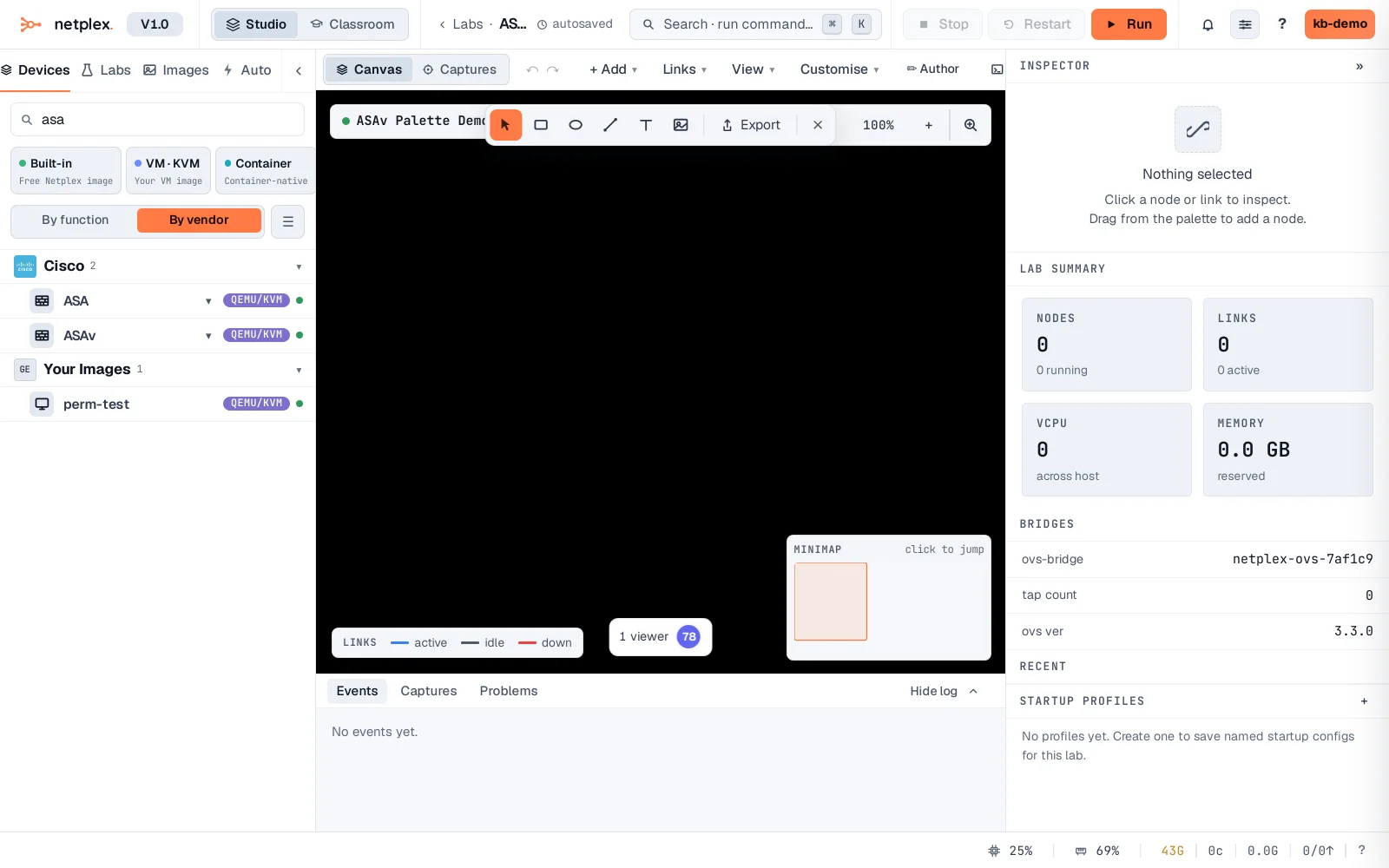
Open any lab and the ASAv is in the device palette on the left with its Cisco badge - filter for asa to find it. Drag it onto the canvas, wire its interfaces to your inside / outside / DMZ segments, and power on: the real ASA software boots to its console under KVM, ready for configure terminal, access-lists, object-NAT and failover pairs.
The ASAv is a full VM, so it costs more RAM than an IOL node - run it where you specifically need ASA behaviour and pair it with lightweight IOL routers/switches for the surrounding topology. For Cisco IOS routing and switching, import IOL or Dynamips images instead; for IOS-XE, use vIOS/CSR. All import through the same Library. See the related guides for Cisco IOL/IOU and QEMU/qcow2 imports.