Command Centre: Build and Assign a session
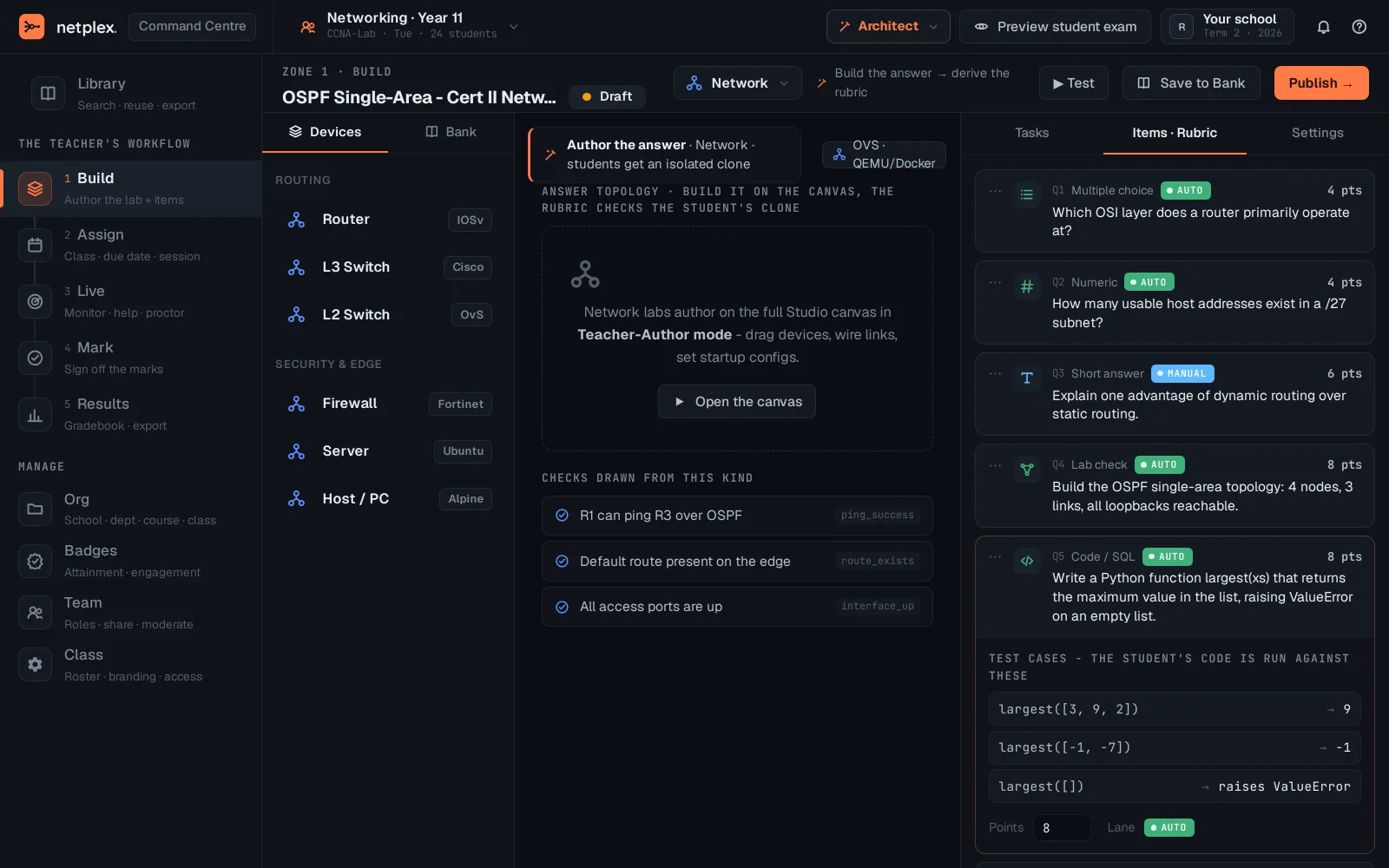
The first two stages of a Command Centre session, before anything goes live: Build the lab and its exam items, then Assign it to a class with a due date - the same assignment a student sees land in their queue.
Open Command Centre → Build. This is where the lab itself gets authored - the topology and any exam items - before it is ever assigned to a class.
Assign hands the built lab to a class - pick who gets it and when it is due.
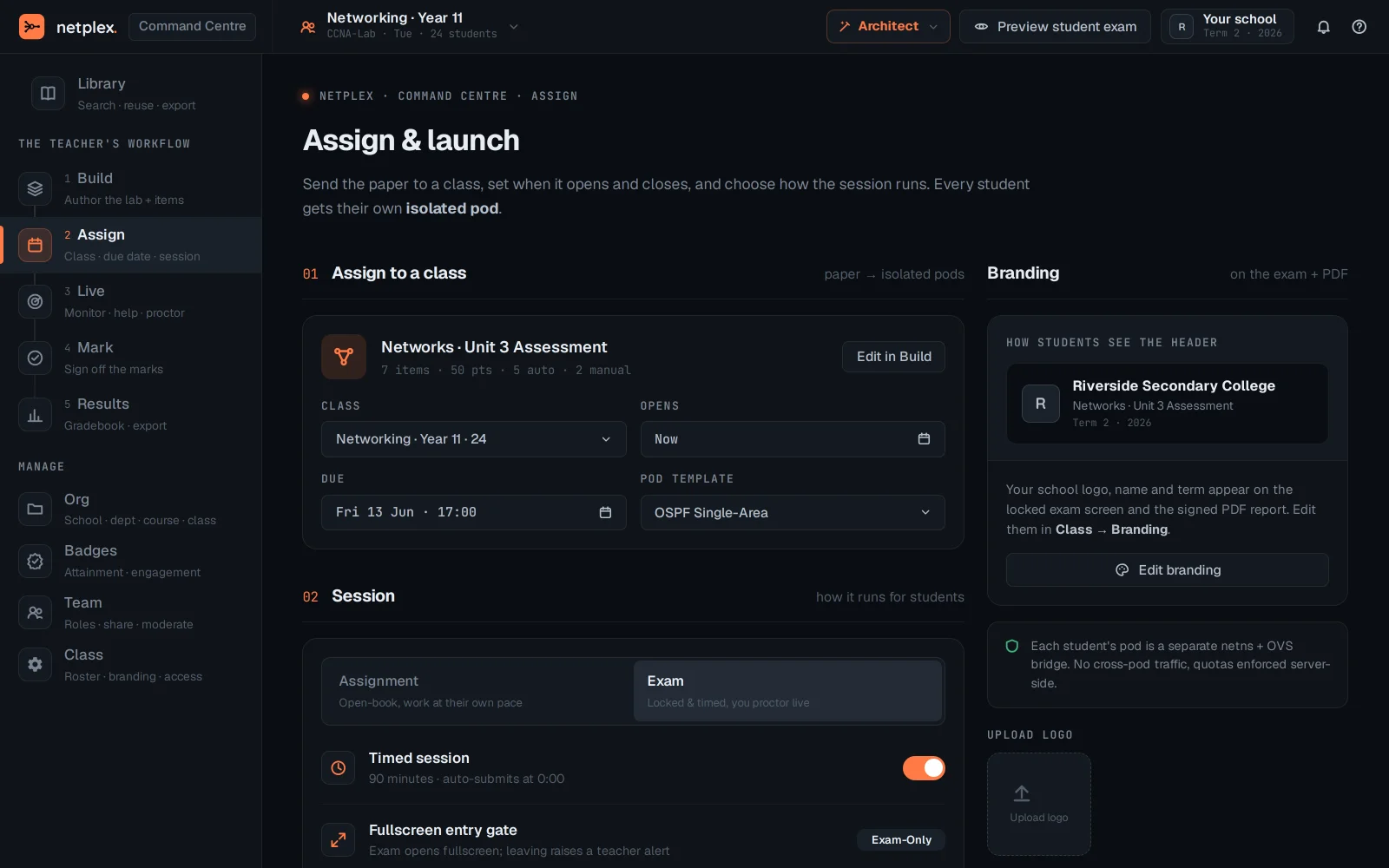
Once assigned, run the session under Live - see "The Command Centre: a full-screen console for running a class". See "Command Centre: Mark and Results" for grading once the session ends.