Command Centre: Mark and Results
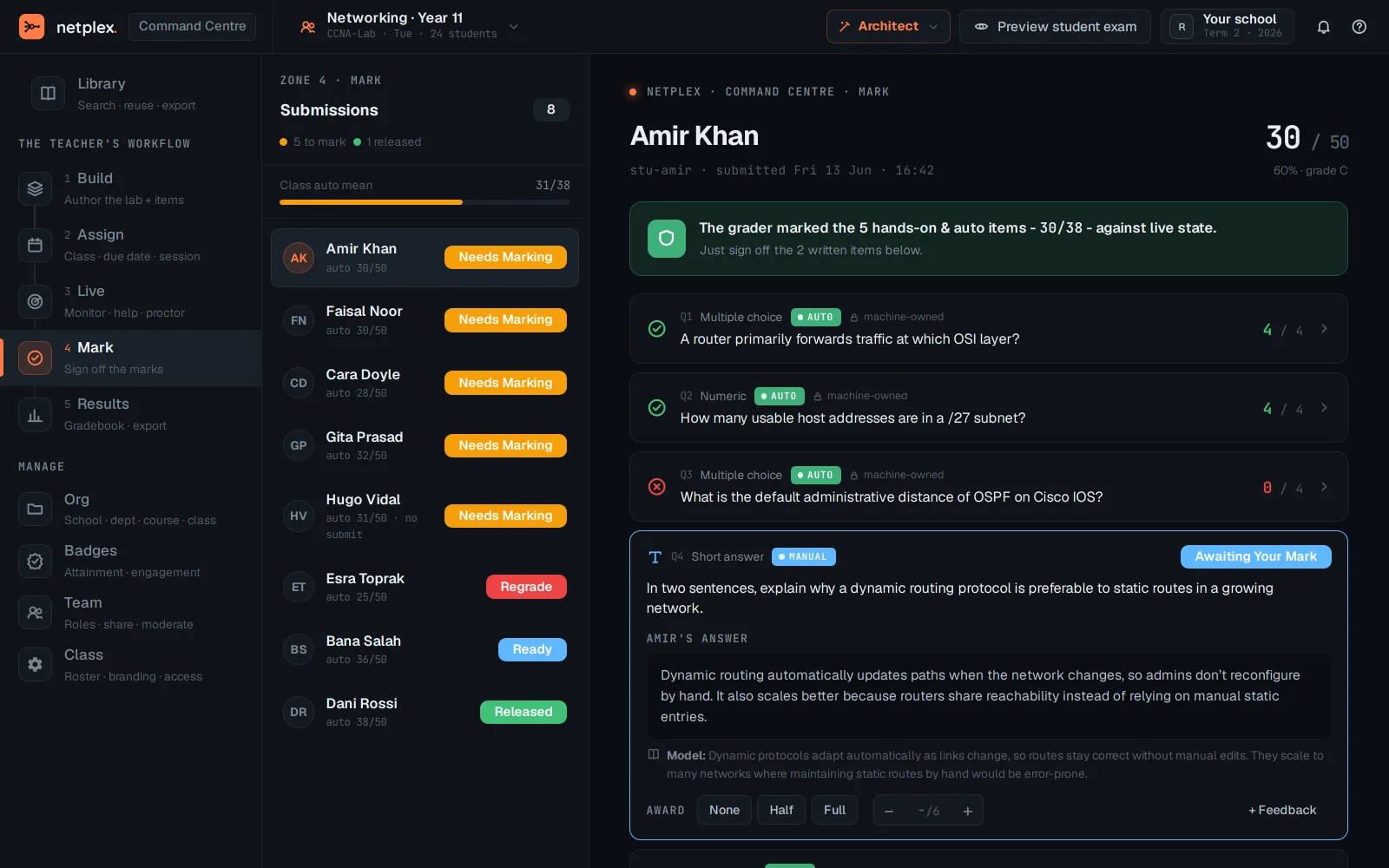
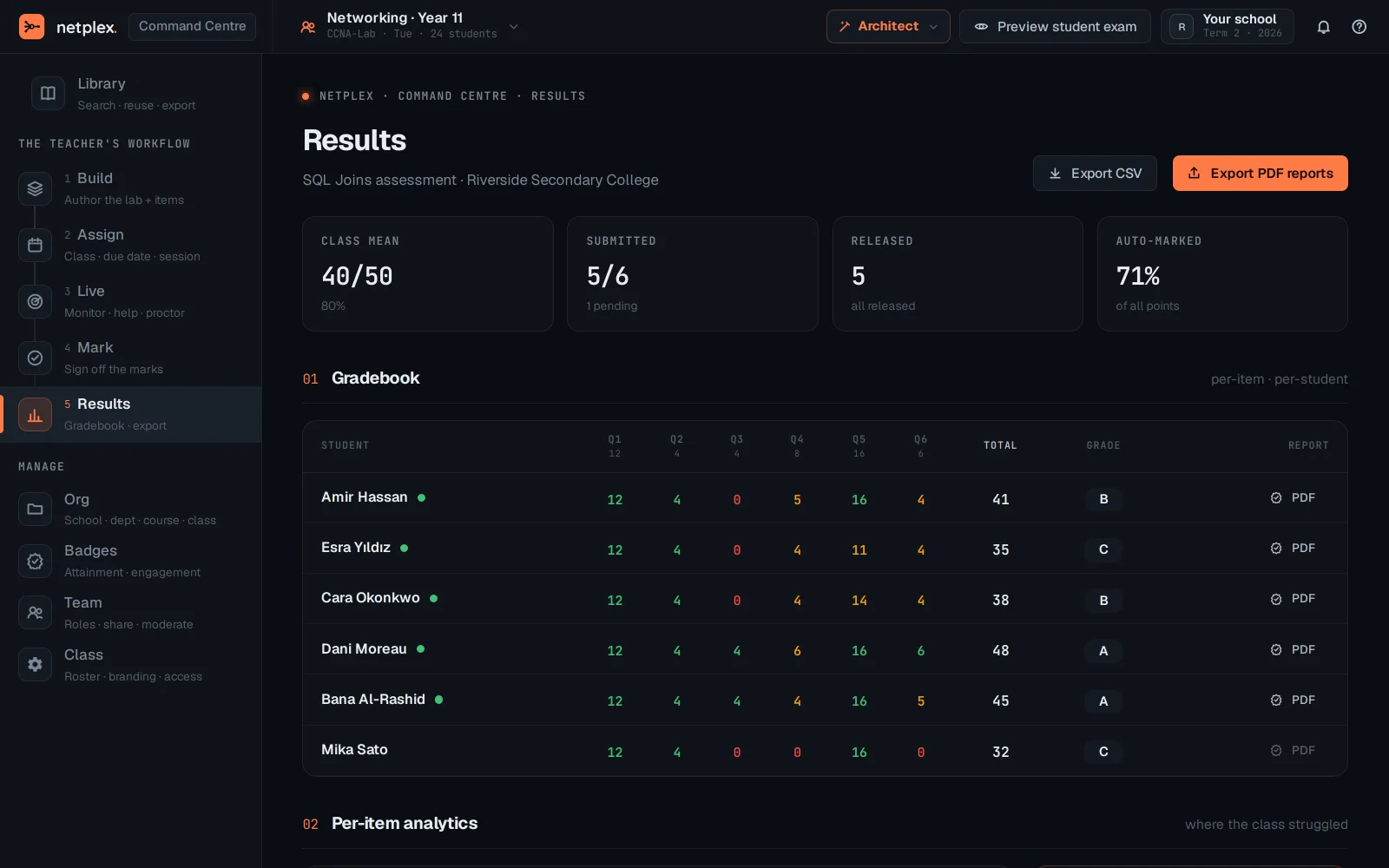
Once a Live session ends, the last two stages close it out: Mark grades submissions one student at a time, and Results rolls the whole class up into a gradebook - without leaving the Command Centre to find it.
Mark is where submissions get graded once the session ends - one student at a time, right after Live.
Results rolls the whole class up into a gradebook - the same aggregate view as the Education dashboard's Gradebook tab, reachable without leaving the Command Centre.
Build → Assign → Live → Mark → Results is the whole arc of one class session. See "Command Centre: Build and Assign a session" for the two stages before Live, and "Grading, gradebook and feedback" for the same marking workflow from the regular Education dashboard.