Export a student result as a signed PDF report
From the Command Centre's Results gradebook, any student's row opens a full report - per-item breakdown, grade band, a verification code - laid out as a print-ready A4 page. Useful for a parent-teacher conference or a paper record, without leaving the class session.
Open Command Centre → Results and click a student's PDF button.
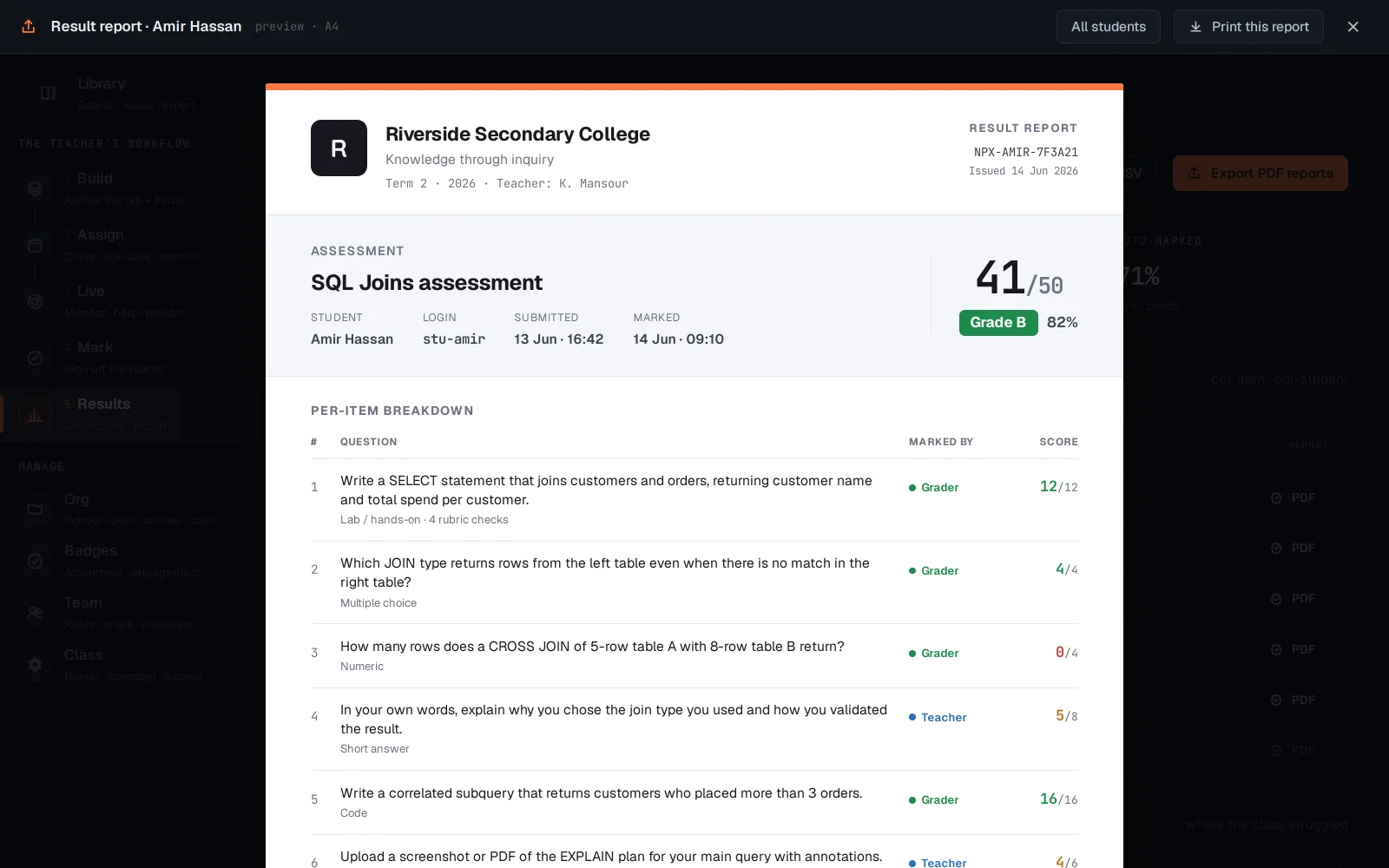
The report is per-item: each question shows what it tested, the score, and a colour cue (green/amber/red) for pass, partial or miss - the same breakdown a teacher marking sees, formatted for someone who never opens netplex. itself.
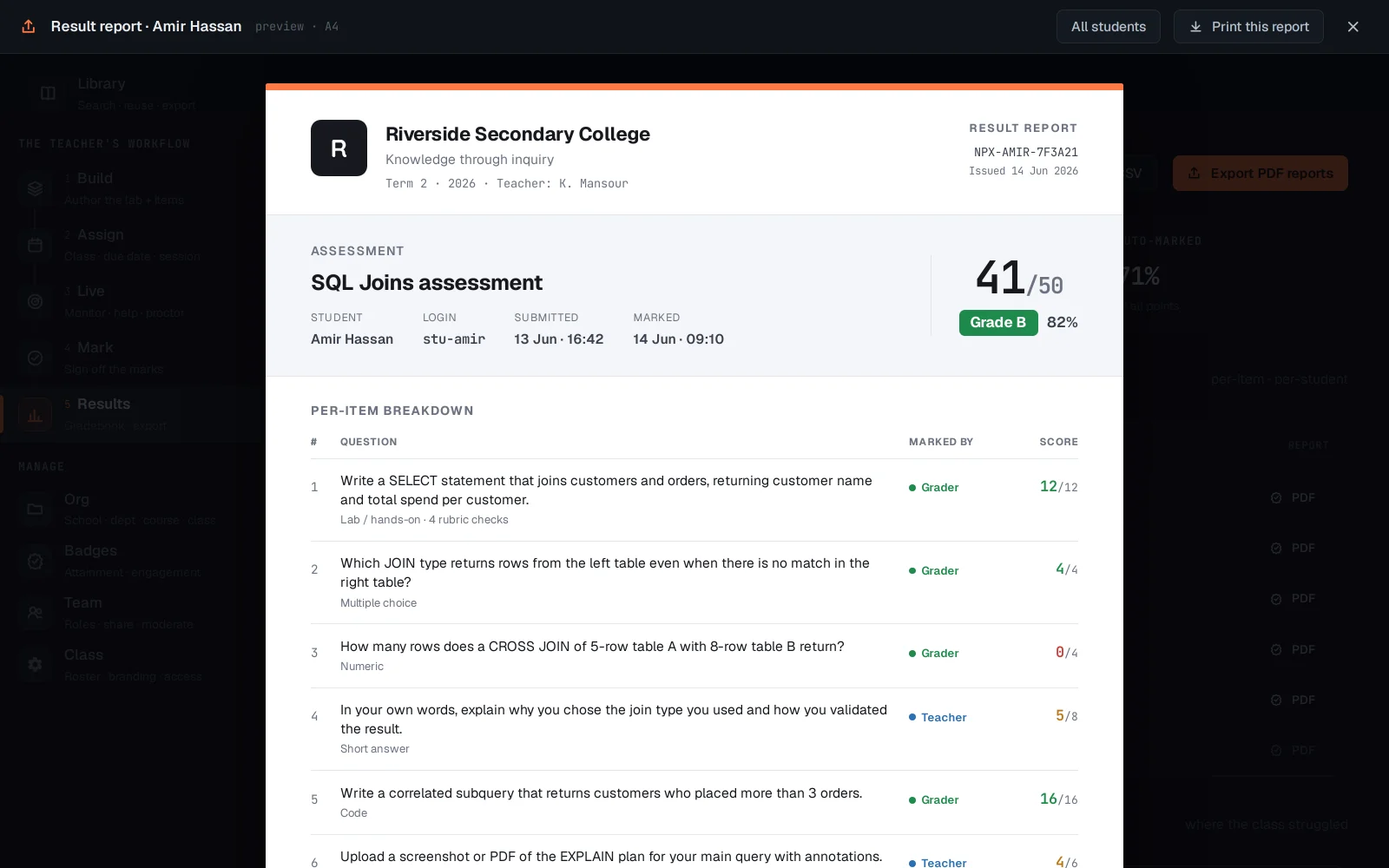
Print this report hands it straight to the browser's print dialog - save as PDF from there, or send to an actual printer. All students batches the same report for the whole class at once. Every report carries a verification code, so a printed copy can be checked back against the real record later.