Scope a shared image to one team
Every uploaded image is global by default - any team can drag it onto their canvas. Image Policy lets you scope a specific image to one team instead, so a licensed or sensitive build stays out of everyone else's palette without deleting it.
Open People → Image Policy and find the image - filter isn't available here, but a fresh upload sorts near the others from the same vendor. Its Scope starts on Global / shared.
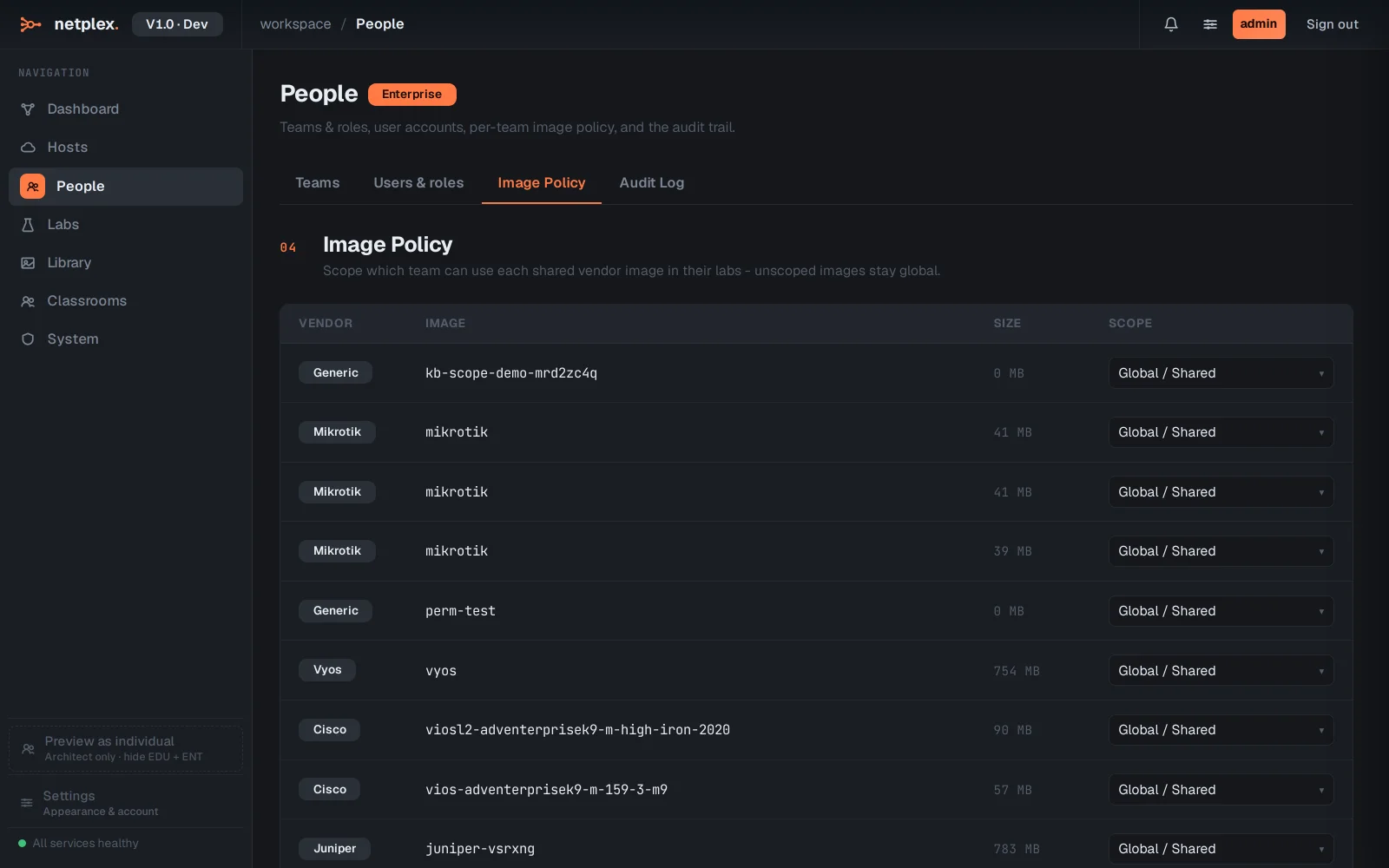
Change its Scope dropdown to the target team. It applies immediately - only that team sees the image in their palette from now on.
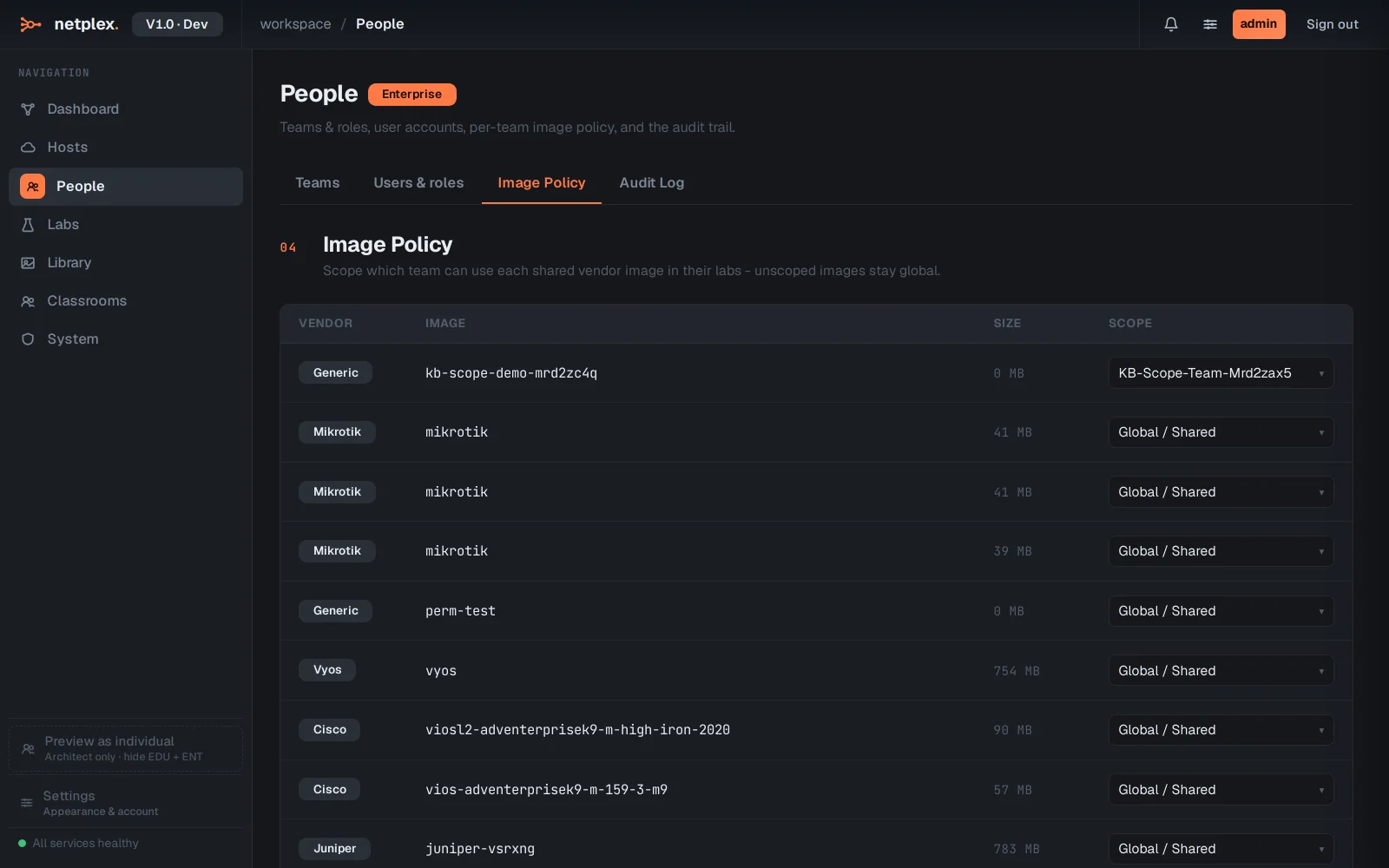
Scoping back to Global / shared is the same dropdown, any time - it never deletes or moves the underlying file, only who can see it in their palette. Admins always see every image regardless of scope.