Select and delete several labs at once
Cleaning up a handful of old labs one bin-icon click at a time is slow. Ticking a checkbox on any lab row switches the whole list into selection mode, and a single Delete N button removes everything checked in one confirmation - any that are still running get stopped first automatically.
Check the box on any lab row - the list switches into selection mode, a select all checkbox appears in the header, and a running tally of what is checked shows in the toolbar.
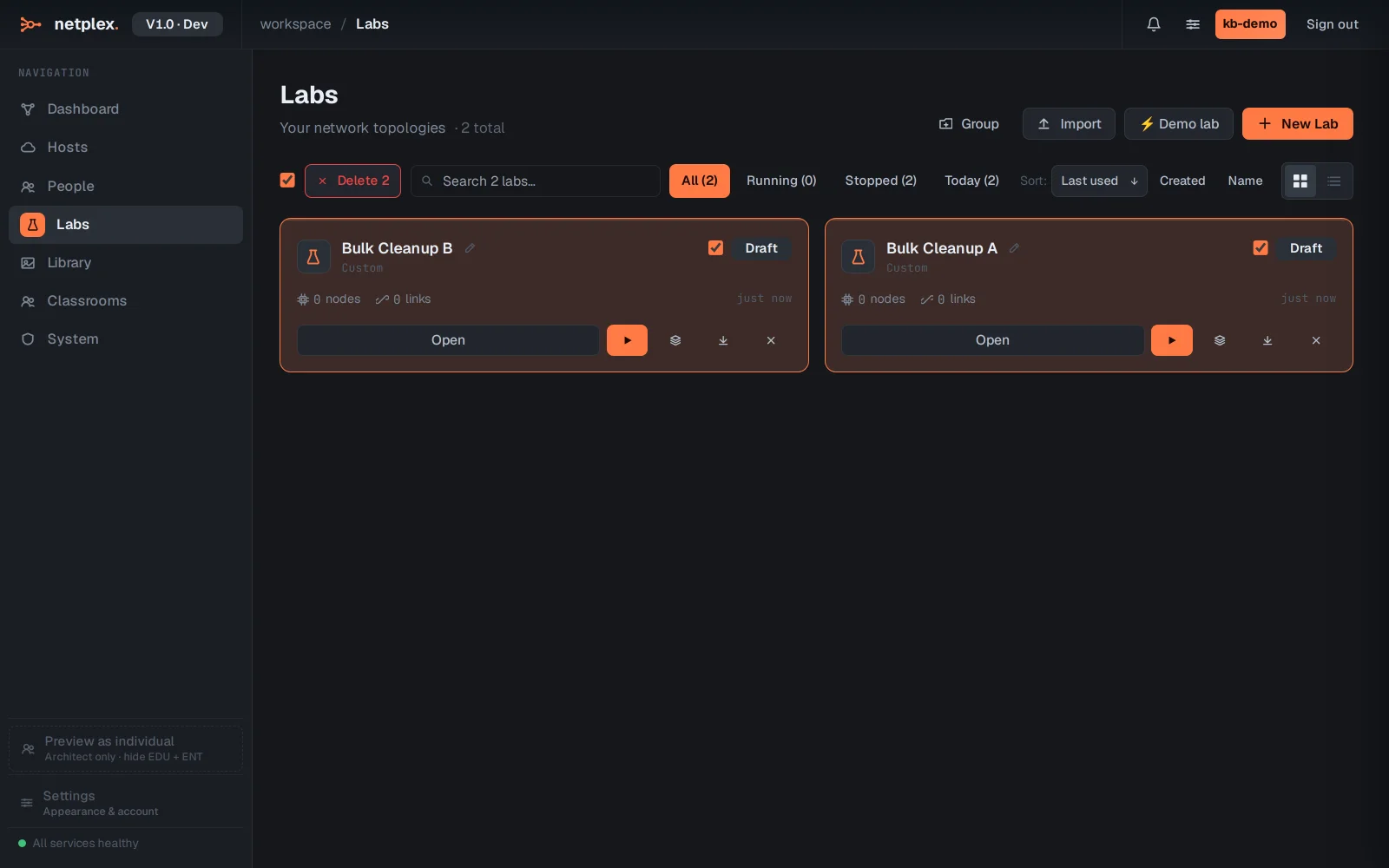
Click Delete 2 and confirm once - both labs are removed together, not one dialog per lab.

If any of the checked labs cannot be deleted right away - usually because it is mid-stop - the toolbar reports exactly how many succeeded and how many did not, rather than failing the whole batch silently. See "Delete a lab" for the single-lab version of the same flow.