Style devices by role, not by vendor
Settings → Lab Appearance → Roles pins a shell, icon style and colour to a device role - router, switch, firewall, server, host, access point, cloud - independent of which vendor made it. A Cisco router and a Juniper router both get the router look, so a topology reads by function at a glance instead of by brand.
Every role has its own row - set its shell shape, icon and colour once, and it applies to every device of that role across every lab, unless a specific node has its own override.
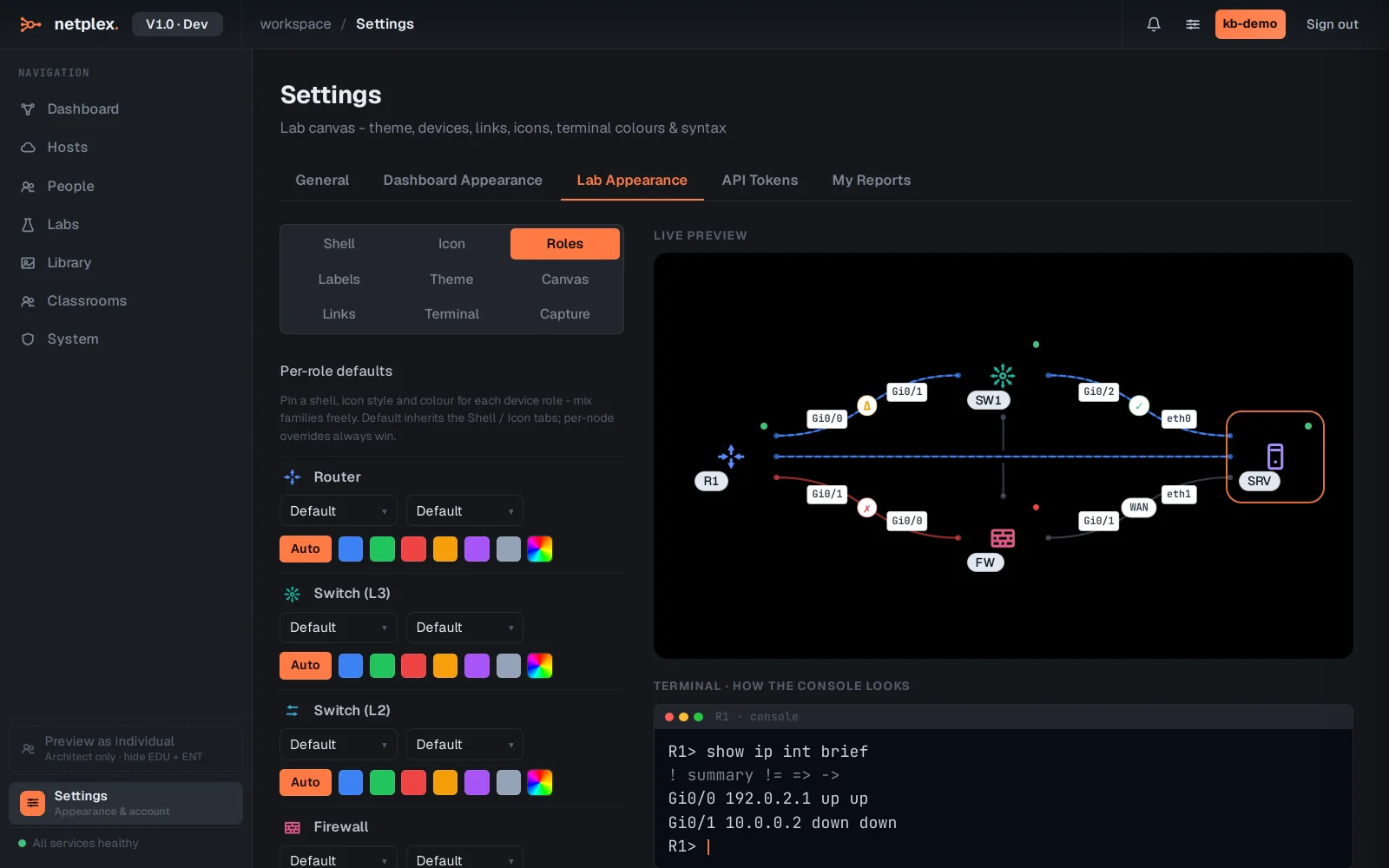
Only a per-node override on the canvas beats a role default - see "The node appearance popover" for that top tier, and "How appearance inheritance works" for the full Global → Lab → Node chain.