Run your own code as a node - no Docker build
Testing an app against a real topology usually means writing a Dockerfile first. Run your code skips that: upload a zip (or point at a Git repo), pick a base image and a run command, and netplex. mounts your code onto that image and runs it - dependencies vendored in once, no build step, no registry push.
Open + Add → Add node → Run your code. Choose Upload .zip, pick the archive, and leave the base image on its default (python:3.12-slim) - the run command already matches a plain app.py.
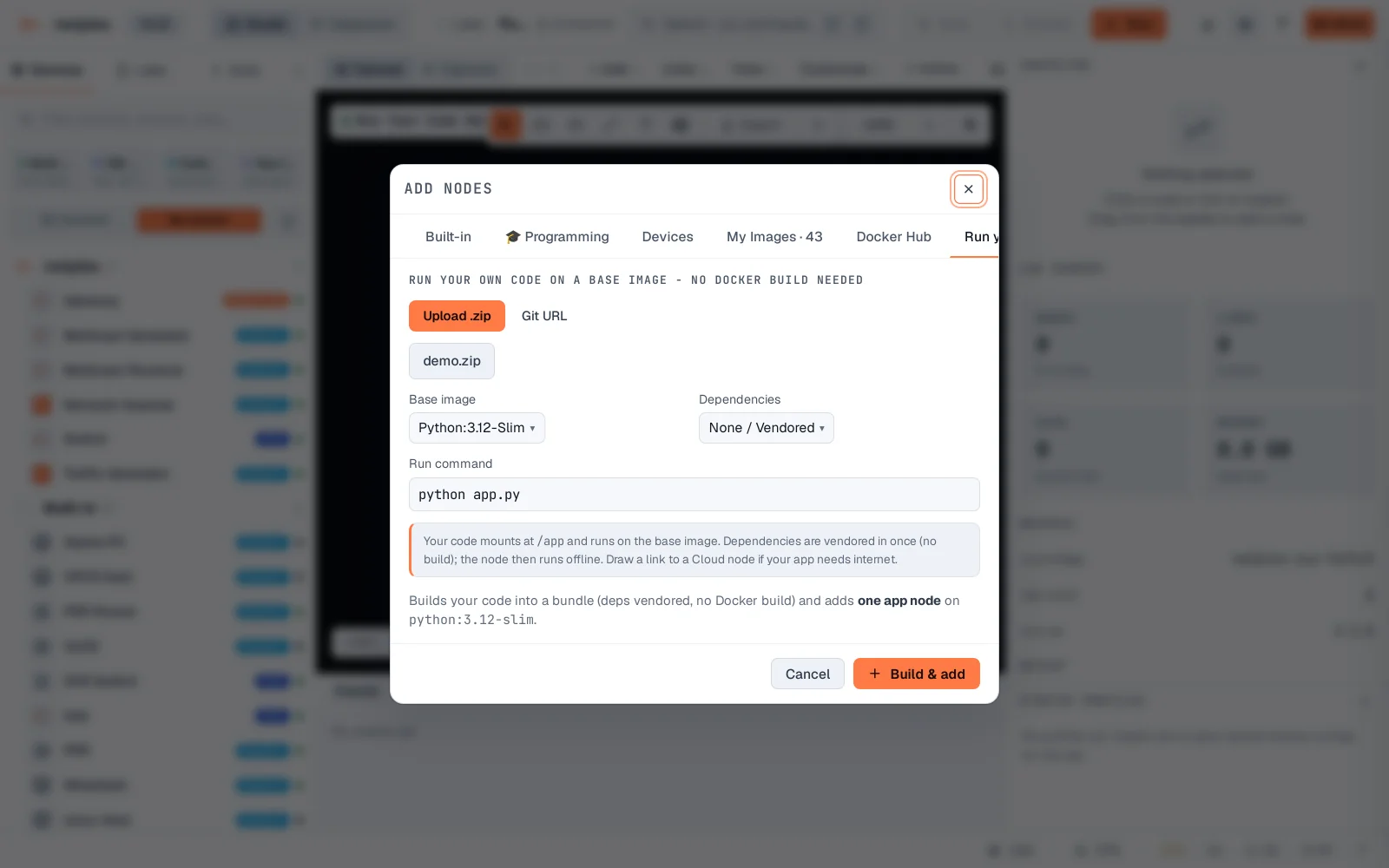
Click Build & add. The code bundle uploads, dependencies vendor in, and one real app node lands on the canvas - the same node type as any other Docker device from here.
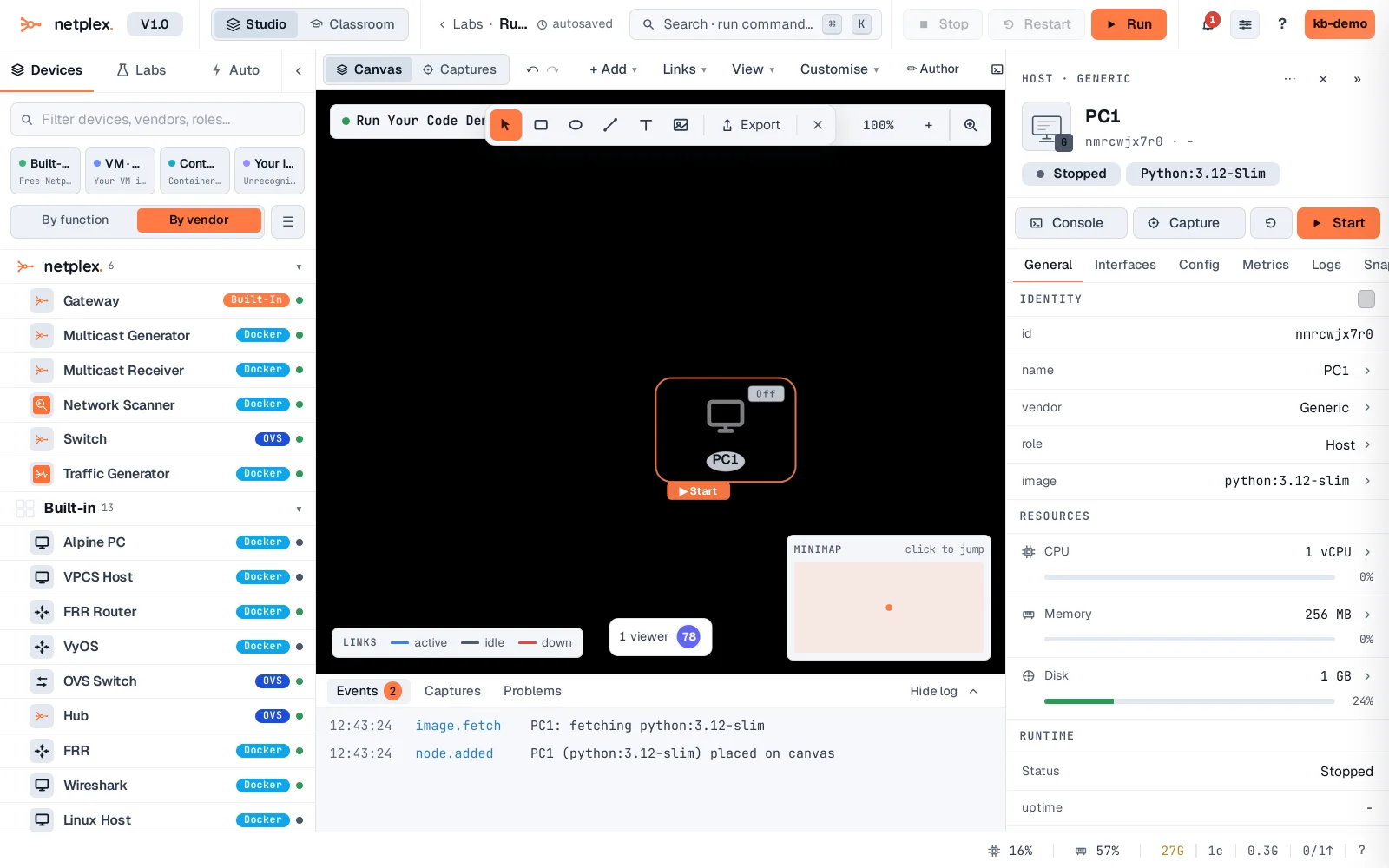
Your code mounts at /app inside the container and runs on whatever base image you picked - the image itself is never rebuilt, so re-running "Build & add" after an edit only re-vendors what changed. Draw a link to a Cloud node if the app needs outbound internet - it starts with none, like every other node.