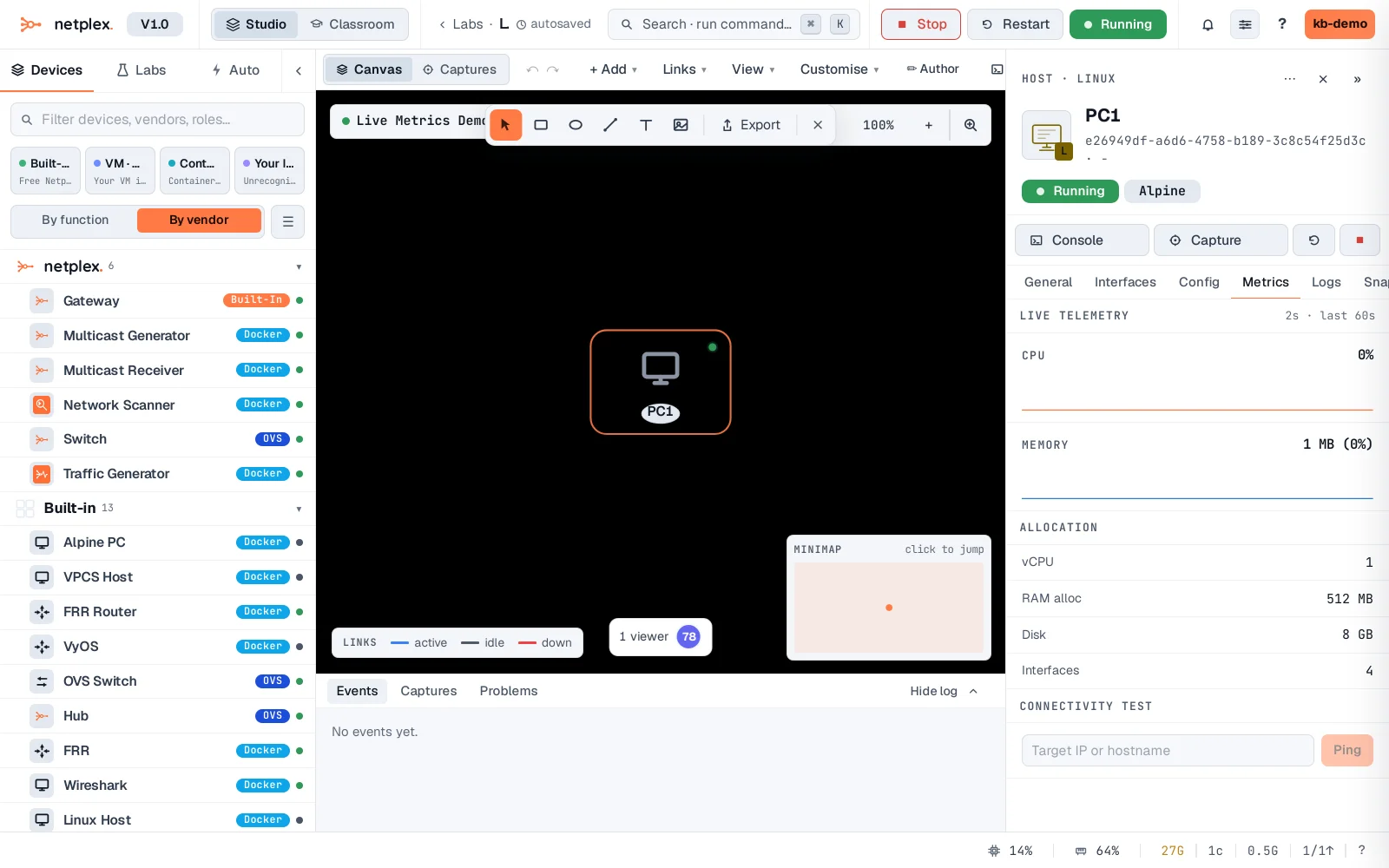
A node's live CPU and memory
The Inspector's Metrics tab charts a running node's CPU and memory in real time, per node - spot a router pegging a core or a VM about to hit its RAM ceiling before it falls over.
Select the running node and open Metrics - live CPU and memory, updating as the node actually runs.
Host-level metrics (all labs together) live on the Dashboard - see "Reading the host resource cards". If a node needs more resources, stop it, raise CPU/RAM on the General tab, start again. See "Node logs" for the console output right next to this tab.