Image upload rejected: unsupported file format
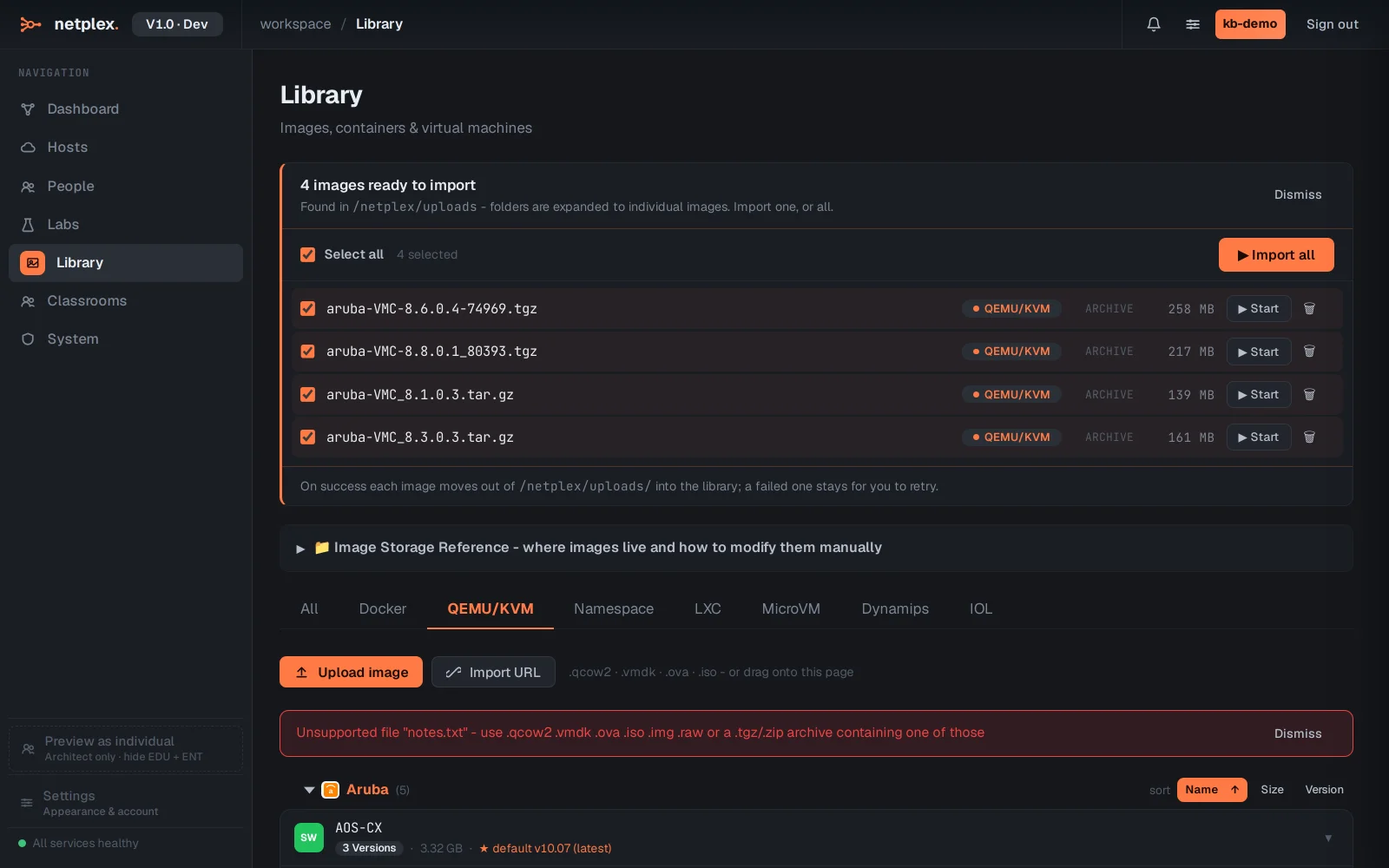
The QEMU/VM importer checks a file's extension before it ever leaves your browser - a plain-text or unrecognised file is rejected instantly with the exact list of formats it accepts, rather than uploading first and failing on the server.
Open Library → QEMU/KVM and pick a file the importer does not recognise - here a .txt. The error names precisely what is accepted: .qcow2 .vmdk .ova .iso .img .raw, or a .tgz/.zip archive containing one of those.
Rename or re-export the file to one of the accepted formats and try again - a .tar.gz archive works too, as long as the disk image inside it has a recognised extension. If the file genuinely is a disk image but under a different extension (some vendors ship .img as .bin), rename it to match before uploading; the importer only inspects the filename here, not the file's real content.