Copy and paste in shell consoles
Shell consoles (telnet/SSH/serial) carry no clipboard channel of their own - copy/paste here is entirely browser-native, the same MobaXterm/PuTTY convention: select text to copy it automatically, right-click to paste. Both are on by default (Settings → Appearance → Terminal, if you'd rather turn either off).
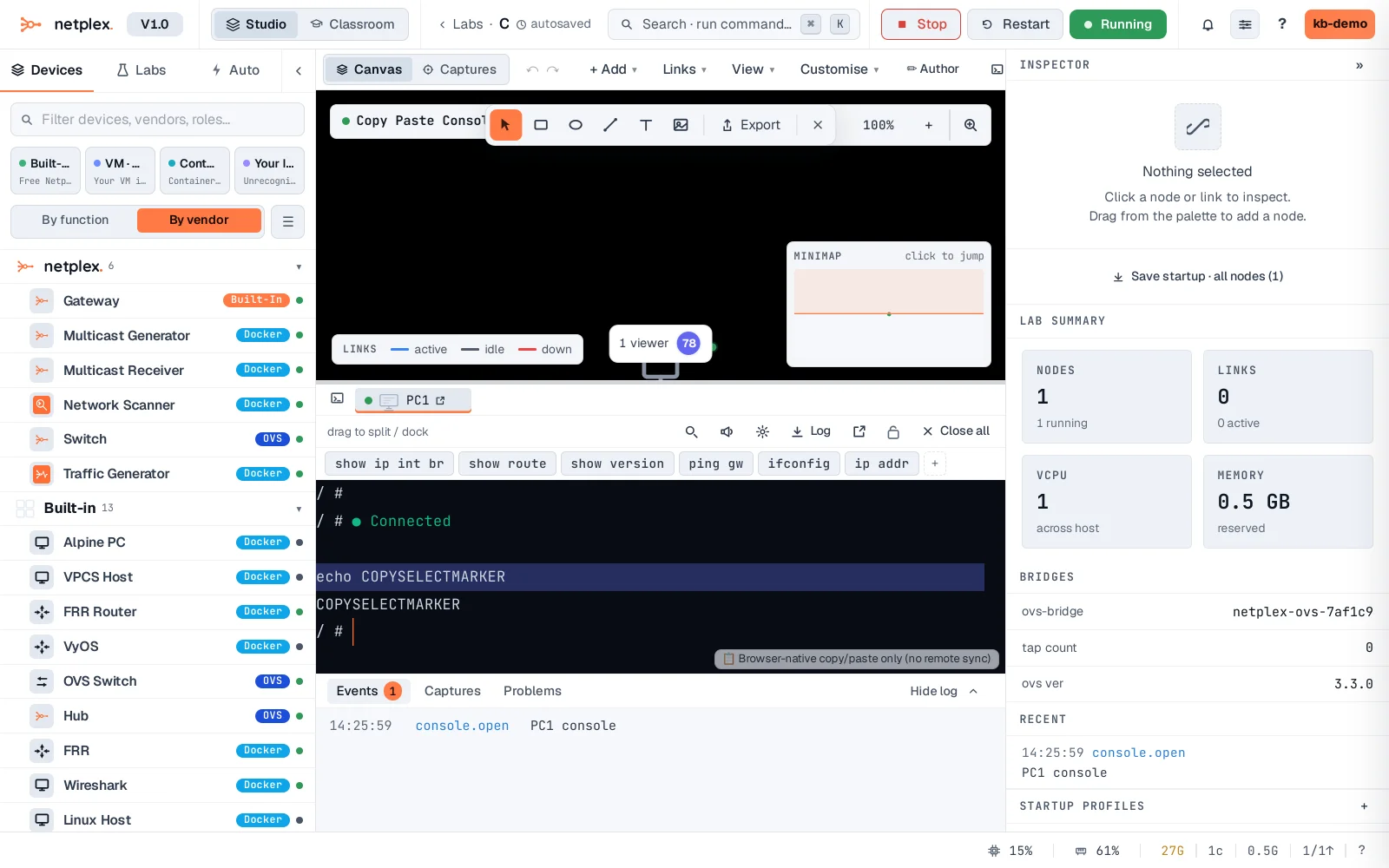
Open the console and run echo COPYSELECTMARKER. Triple-click that output line to select the whole line - selecting anything copies it to your real OS clipboard automatically, no Ctrl+C needed.
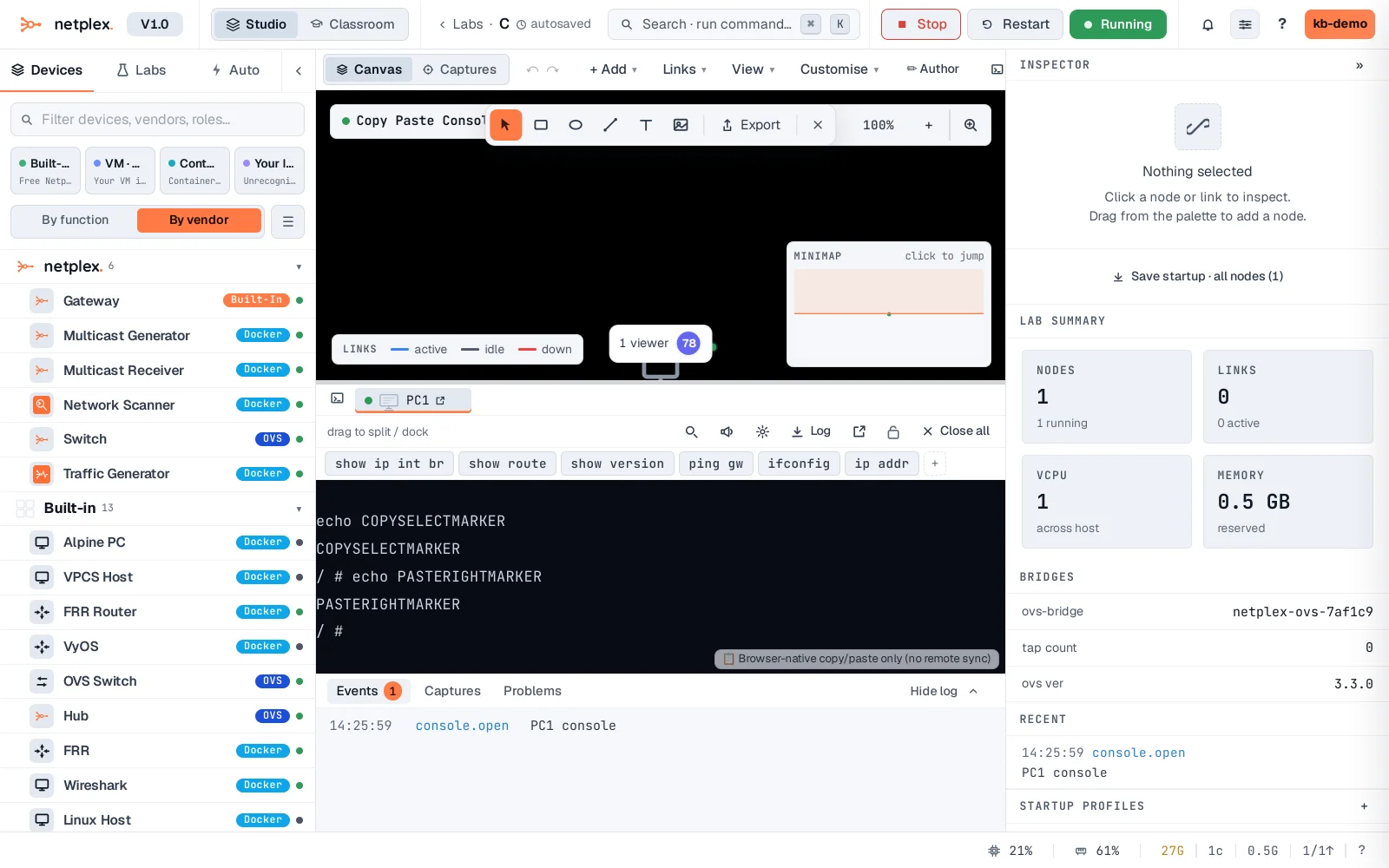
Copy something to your clipboard, right-click anywhere in the terminal - it pastes immediately as real keystrokes, exactly as if typed.
VNC and RDP graphical consoles are different - those protocols carry a real bidirectional clipboard channel, so copy/paste syncs both ways with the remote desktop automatically, no browser tricks involved. Shell consoles never get that; this select/right-click convention is the closest equivalent.